8.1.0.x to 8.2
1. Upgrade From 8.1.0.x to 8.2
RDAF Platform: From 8.1.0.x to 8.2
AIOps (OIA) Application: From 8.1.0.x to 8.2
RDAF Deployment rdafk8s CLI: From 1.4.1 to 1.5.0
RDAF Client rdac CLI: From 8.1.0.x to 8.2
RDAF Platform: From 8.1.0.x to 8.2
OIA (AIOps) Application: From 8.1.0.x to 8.2
RDAF Deployment rdaf CLI: From 1.4.1 to 1.5.0
RDAF Client rdac CLI: From 8.1.0.x to 8.2
1.1. Prerequisites
Before proceeding with this upgrade, please make sure and verify the below prerequisites are met.
Currently deployed CLI and RDAF services are running the below versions.
-
RDAF Deployment CLI version: 1.4.1
-
Infra Services tag: 1.0.4
-
Platform Services and RDA Worker tag: 8.1.0.x
-
OIA Application Services tag: 8.1.0.x
-
CloudFabrix recommends taking VMware VM snapshots where RDA Fabric infra/platform/applications are deployed
Note
- Check the Disk space of all the Platform and Service Vm's using the below mentioned command, the highlighted disk size should be less than 80%
rdauser@oia-125-216:~/collab-3.7-upgrade$ df -kh
Filesystem                         Size  Used Avail Use% Mounted on
udev                                32G     0   32G   0% /dev
tmpfs                              6.3G  357M  6.0G   6% /run
/dev/mapper/ubuntu--vg-ubuntu--lv   48G   12G   34G  26% /
tmpfs                               32G     0   32G   0% /dev/shm
tmpfs                              5.0M     0  5.0M   0% /run/lock
tmpfs                               32G     0   32G   0% /sys/fs/cgroup
/dev/loop0                          64M   64M     0 100% /snap/core20/2318
/dev/loop2                          92M   92M     0 100% /snap/lxd/24061
/dev/sda2                          1.5G  309M  1.1G  23% /boot
/dev/sdf                            50G  3.8G   47G   8% /var/mysql
/dev/loop3                          39M   39M     0 100% /snap/snapd/21759
/dev/sdg                            50G  541M   50G   2% /192.168-data
/dev/loop4                          92M   92M     0 100% /snap/lxd/29619
/dev/loop5                          39M   39M     0 100% /snap/snapd/21465
/dev/sde                            15G  140M   15G   1% /zookeeper
/dev/sdd                            30G  884M   30G   3% /kafka-logs
/dev/sdc                            50G  3.3G   47G   7% /opt
/dev/sdb                            50G   29G   22G  57% /var/lib/docker
/dev/sdi                            25G  294M   25G   2% /graphdb
/dev/sdh                            50G   34G   17G  68% /opensearch
/dev/loop6                          64M   64M     0 100% /snap/core20/2379
- Check all MariaDB nodes are sync on HA setup using below commands before start upgrade
Tip
Please run the below commands on the VM host where RDAF deployment CLI was installed and rdafk8s setup command was run. The mariadb configuration is read from /opt/rdaf/rdaf.cfg file.
MARIADB_HOST=`cat /opt/rdaf/rdaf.cfg | grep -A3 haproxy| grep advertised_external_host | awk '{print $3}'`
MARIADB_USER=`cat /opt/rdaf/rdaf.cfg | grep -A3 mariadb | grep user | awk '{print $3}' | base64 -d`
MARIADB_PASSWORD=`cat /opt/rdaf/rdaf.cfg | grep -A3 mariadb | grep password | awk '{print $3}' | base64 -d`

mysql -u$MARIADB_USER -p$MARIADB_PASSWORD -h $MARIADB_HOST -P3307 -e "show status like 'wsrep_local_state_comment';"
Please verify that the mariadb cluster state is in Synced state.
+---------------------------+--------+
| Variable_name             | Value  |
+---------------------------+--------+
| wsrep_local_state_comment | Synced |
+---------------------------+--------+
Please run the below command and verify that the mariadb cluster size is 3.
mysql -u$MARIADB_USER -p$MARIADB_PASSWORD -h $MARIADB_HOST -P3307 -e "SHOW GLOBAL STATUS LIKE 'wsrep_cluster_size'";
+--------------------+-------+
| Variable_name      | Value |
+--------------------+-------+
| wsrep_cluster_size | 3     |
+--------------------+-------+
Warning
Make sure all of the above pre-requisites are met before proceeding with the upgrade process.
Warning
Kubernetes: Though Kubernetes based RDA Fabric deployment supports zero downtime upgrade, it is recommended to schedule a maintenance window for upgrading RDAF Platform and AIOps services to newer version.
Important
Please make sure full backup of the RDAF platform system is completed before performing the upgrade.
Kubernetes: Please run the below backup command to take the backup of application data.
Run the below command on RDAF Management system and make sure the Kubernetes PODs are NOT in restarting mode (it is applicable to only Kubernetes environment)
- Verify that RDAF deployment
rdafcli version is 1.4.1 on the VM where CLI was installed for docker on-prem registry managing Kubernetes or Non-kubernetes deployments.
- On-premise docker registry service version is 1.0.4
0889e08f0871 docker1.cloudfabrix.io:443/external/docker-registry:1.0.4 "/entrypoint.sh /bin…" 7 days ago Up 7 days deployment-scripts-docker-registry-1
-
RDAF Infrastructure services version is 1.0.4 except for below services.
-
rda-minio: version is
RELEASE.2024-12-18T13-15-44Z
Run the below command to get rdafk8s Infra service details
+--------------------------+-----------------+-------------------+--------------+--------------------------------+
| Name                     | Host            | Status            | Container Id | Tag                            |
+--------------------------+-----------------+-------------------+--------------+--------------------------------+
| rda-nats                 | 192.168.108.114 | Up 19 Minutes ago | bbb50d2dacc5 | 1.0.4                          |
| rda-minio                | 192.168.108.114 | Up 19 Minutes ago | d26148d4bf44 | RELEASE.2024-12-18T13-15-44Z   |
| rda-mariadb              | 192.168.108.114 | Up 19 Minutes ago | 02975e0eec89 | 1.0.4                          |
| rda-opensearch           | 192.168.108.114 | Up 18 Minutes ago | 1494be76f694 | 1.0.4                          |
+--------------------------+-----------------+-------------------+--------------+--------------------------------+
- RDAF Platform services version is 8.1.0.x
Run the below command to get RDAF Platform services details
+---------------+-----------------+---------------+--------------+---------+
| Name          | Host            | Status        | Container Id | Tag     |
+---------------+-----------------+---------------+--------------+---------+
| rda-api-      | 192.168.108.119 | Up 14 Hours   | 2ca4370a175a | 8.1.0.1 |
| server        |                 | ago           |              |         |
| rda-api-      | 192.168.108.120 | Up 14 Hours   | cce0d6bcba36 | 8.1.0.1 |
| server        |                 | ago           |              |         |
| rda-registry  | 192.168.108.120 | Up 14 Hours   | e029a9ff96fe | 8.1.0.1 |
|               |                 | ago           |              |         |
| rda-registry  | 192.168.108.119 | Up 14 Hours   | eacbc82ae8c9 | 8.1.0.1 |
|               |                 | ago           |              |         |
| rda-identity  | 192.168.108.120 | Up 14 Hours   | 45409c977c7c | 8.1.0.1 |
|               |                 | ago           |              |         |
| rda-identity  | 192.168.108.119 | Up 14 Hours   | 584458932e2c | 8.1.0.1 |
+---------------+-----------------+---------------+--------------+---------+
- RDAF Worker version is 8.1.0.x
Run the below command to get RDAF Worker details
+------------+----------------+------------+--------------+---------+
| Name       | Host           | Status     | Container Id | Tag     |
+------------+----------------+------------+--------------+---------+
| rda_worker | 192.168.125.63 | Up 7 weeks | cfe1fe65c692 | 8.1.0.1 |
+------------+----------------+------------+--------------+---------+
- RDAF OIA Application services version is 8.1.0.x
Run the below command to get RDAF App services details
+-------------------------------+-----------------+-----------------+--------------+---------+
| Name                          | Host            | Status          | Container Id | Tag     |
+-------------------------------+-----------------+-----------------+--------------+---------+
| rda-alert-correlator          | 192.168.108.118 | Up 14 Hours ago | afdbbe6453e4 | 8.1.0.1 |
| rda-alert-correlator          | 192.168.108.117 | Up 14 Hours ago | 631b7978dcb0 | 8.1.0.1 |
| rda-alert-ingester            | 192.168.108.117 | Up 14 Hours ago | 33322e0b9cb9 | 8.1.0.1 |
| rda-alert-ingester            | 192.168.108.118 | Up 14 Hours ago | 8178c043bd04 | 8.1.0.1 |
| rda-alert-processor           | 192.168.108.117 | Up 14 Hours ago | b342b582ea1d | 8.1.0.1 |
| rda-alert-processor           | 192.168.108.118 | Up 14 Hours ago | b6f85413c2df | 8.1.0.1 |
+-------------------------------+-----------------+-----------------+--------------+---------+
Currently deployed CLI and RDAF services are running the below versions.
-
RDAF Deployment CLI version: 1.4.1
-
Infra Services tag: 1.0.4
-
External Opensearch: 1.0.4.1
-
Platform Services and RDA Worker tag: 8.1.0.x
-
OIA Application Services tag: 8.1.0.x
-
CloudFabrix recommends taking VMware VM snapshots where RDA Fabric infra/platform/applications are deployed
Note
- Check the Disk space of all the Platform and Service Vm's using the below mentioned command, the highlighted disk size should be less than 80%
rdauser@oia-125-216:~/collab-3.7-upgrade$ df -kh
Filesystem                         Size  Used Avail Use% Mounted on
udev                                32G     0   32G   0% /dev
tmpfs                              6.3G  357M  6.0G   6% /run
/dev/mapper/ubuntu--vg-ubuntu--lv   48G   12G   34G  26% /
tmpfs                               32G     0   32G   0% /dev/shm
tmpfs                              5.0M     0  5.0M   0% /run/lock
tmpfs                               32G     0   32G   0% /sys/fs/cgroup
/dev/loop0                          64M   64M     0 100% /snap/core20/2318
/dev/loop2                          92M   92M     0 100% /snap/lxd/24061
/dev/sda2                          1.5G  309M  1.1G  23% /boot
/dev/sdf                            50G  3.8G   47G   8% /var/mysql
/dev/loop3                          39M   39M     0 100% /snap/snapd/21759
/dev/sdg                            50G  541M   50G   2% /192.168-data
/dev/loop4                          92M   92M     0 100% /snap/lxd/29619
/dev/loop5                          39M   39M     0 100% /snap/snapd/21465
/dev/sde                            15G  140M   15G   1% /zookeeper
/dev/sdd                            30G  884M   30G   3% /kafka-logs
/dev/sdc                            50G  3.3G   47G   7% /opt
/dev/sdb                            50G   29G   22G  57% /var/lib/docker
/dev/sdi                            25G  294M   25G   2% /graphdb
/dev/sdh                            50G   34G   17G  68% /opensearch
/dev/loop6                          64M   64M     0 100% /snap/core20/2379
Warning
Make sure all of the above pre-requisites are met before proceeding with the upgrade process.
Warning
Non-Kubernetes: Upgrading RDAF Platform and AIOps application services is a disruptive operation. Schedule a maintenance window before upgrading RDAF Platform and AIOps services to newer version.
Important
Please make sure full backup of the RDAF platform system is completed before performing the upgrade.
Non-Kubernetes: Please run the below backup command to take the backup of application data.
Note: Please make sure this backup-dir is mounted across all infra,cli vms.- Verify that RDAF deployment
rdafcli version is 1.4.1 on the VM where CLI was installed for docker on-prem registry managing Kubernetes or Non-kubernetes deployments.
- On-premise docker registry service version is 1.0.4
173d38eebeab docker1.cloudfabrix.io:443/external/docker-registry:1.0.4 "/entrypoint.sh /bin…" 45 hours ago Up 45 hours deployment-scripts-docker-registry-1
-
RDAF Infrastructure services version is 1.0.4 except for below services.
-
rda-minio: version is
RELEASE.2024-12-18T13-15-44Z
Run the below command to get RDAF Infra service details
+-------------------+----------------+-------------+--------------+------------------------------+
| Name              | Host           | Status      | Container Id | Tag                          |
+-------------------+----------------+-------------+--------------+------------------------------+
| nats              | 192.168.125.63 | Up 2 months | aff2eb1f37c9 | 1.0.4                        |
| minio             | 192.168.125.63 | Up 2 months | ed6bb3ea036a | RELEASE.2024-12-18T13-15-44Z |
| mariadb           | 192.168.125.63 | Up 2 months | 616a98d6471c | 1.0.4                        |
| opensearch        | 192.168.125.63 | Up 2 months | 7edeede52a9b | 1.0.4                        |
| kafka             | 192.168.125.63 | Up 2 months | d1426429da4c | 1.0.4                        |
| graphdb[operator] | 192.168.125.63 | Up 2 months | 8a53795f6ee4 | 1.0.4                        |
| graphdb[server]   | 192.168.125.63 | Up 2 months | 06c187c7dfa2 | 1.0.4                        |
| haproxy           | 192.168.125.63 | Up 2 months | fde40536be0c | 1.0.4                        |
+-------------------+----------------+-------------+--------------+------------------------------+
- RDAF Platform services version is 8.1.0.x
Run the below command to get RDAF Platform services details
+--------------------------+----------------+------------+--------------+---------+
| Name                     | Host           | Status     | Container Id | Tag     |
+--------------------------+----------------+------------+--------------+---------+
| rda_api_server           | 192.168.125.63 | Up 7 weeks | c6500e23738f | 8.1.0.1 |
| rda_registry             | 192.168.125.63 | Up 7 weeks | 34f008691fd4 | 8.1.0.1 |
| rda_scheduler            | 192.168.125.63 | Up 7 weeks | 8b358f65a7d3 | 8.1.0.1 |
| rda_collector            | 192.168.125.63 | Up 7 weeks | 1888441693c0 | 8.1.0.1 |
| rda_identity             | 192.168.125.63 | Up 7 weeks | 10e43ae93430 | 8.1.0.1 |
| rda_asm                  | 192.168.125.63 | Up 7 weeks | f98c2c79539a | 8.1.0.1 |
+--------------------------+----------------+------------+--------------+---------+
- RDAF Worker version is 8.1.0.x
Run the below command to get RDAF Worker details
+------------+----------------+------------+--------------+---------+
| Name       | Host           | Status     | Container Id | Tag     |
+------------+----------------+------------+--------------+---------+
| rda_worker | 192.168.125.63 | Up 7 weeks | bc46556f64d2 | 8.1.0.1 |
+------------+----------------+------------+--------------+---------+
- RDAF OIA Application services version is 8.1.0.x
Run the below command to get RDAF App services details
+-----------------------------------+----------------+------------+--------------+---------+
| Name                              | Host           | Status     | Container Id | Tag     |
+-----------------------------------+----------------+------------+--------------+---------+
| cfx-rda-app-controller            | 192.168.125.63 | Up 7 weeks | 1bae5abb4e9c | 8.1.0.1 |
| cfx-rda-reports-registry          | 192.168.125.63 | Up 7 weeks | 925a97ecb0a3 | 8.1.0.1 |
| cfx-rda-notification-service      | 192.168.125.63 | Up 7 weeks | 1628da0a7a30 | 8.1.0.1 |
| cfx-rda-file-browser              | 192.168.125.63 | Up 7 weeks | 237c85c6cb9f | 8.1.0.1 |
| cfx-rda-configuration-service     | 192.168.125.63 | Up 7 weeks | 0fe8f3ee7596 | 8.1.0.1 |
| cfx-rda-alert-ingester            | 192.168.125.63 | Up 7 weeks | d58452342e72 | 8.1.0.1 |
| cfx-rda-webhook-server            | 192.168.125.63 | Up 7 weeks | f3578f725d9c | 8.1.0.1 |
+-----------------------------------+----------------+------------+--------------+---------+
RDAF Deployment CLI Upgrade:
Please follow the below given steps.
Note
Upgrade RDAF Deployment CLI on both on-premise docker registry VM and RDAF Platform's management VM if provisioned separately.
Login into the VM where rdaf deployment CLI was installed for docker on-premise registry and managing Kubernetes or Non-kubernetes deployment.
- Download the RDAF Deployment CLI's newer version 1.5.0 bundle.
wget https://macaw-amer.s3.us-east-1.amazonaws.com/releases/rdaf-platform/1.5.0/rdafcli-1.5.0.tar.gz
- Upgrade the
rdafk8sCLI to version 1.5.0
- Verify the installed
rdafk8sCLI version is upgraded to 1.5.0
- Download the RDAF Deployment CLI's newer version 1.5.0 bundle and copy it to RDAF CLI management VM on which
rdafdeployment CLI was installed.
- Download the RDAF Deployment CLI's newer version 1.5.0 bundle
wget https://macaw-amer.s3.us-east-1.amazonaws.com/releases/rdaf-platform/1.5.0/rdafcli-1.5.0.tar.gz
- Upgrade the
rdafCLI to version 1.5.0
- Verify the installed
rdafCLI version is upgraded to 1.5.0
- Download the RDAF Deployment CLI's newer version 1.5.0 bundle and copy it to RDAF management VM on which
rdaf & rdafk8sdeployment CLI was installed.
1.2. Upgrade Steps
Please download the below python script (rdaf_upgrade_141_150.py)
wget https://macaw-amer.s3.us-east-1.amazonaws.com/releases/rdaf-platform/1.5.0/rdaf_upgrade_141_150.py
The below step will generate values.yaml.latest files for all RDAF Infrastructure, Platform and Application services in the /opt/rdaf/deployment-scripts directory.
Please run the downloaded python upgrade script rdaf_upgrade_141_150.py as shown below
Note
The above command will show the available options for the upgrade script
rdauser@infra108122:~$ python rdaf_upgrade_141_150.py -h
usage: rdaf_upgrade_141_150.py [-h] {upgrade} ...

options:
-h, --help  show this help message and exit

options:
{upgrade}   Available options
    upgrade   upgrade the setup
This below given command will execute the upgrade process after user has downloaded the script and reviewed the available options with the help command.
Copied registry-images.yaml to /opt/rdaf-registry/registry-images.yaml
docker login on host 192.168.108.18
WARNING! Using --password via the CLI is insecure. Use --password-stdin.
WARNING! Your password will be stored unencrypted in /home/rdauser/.docker/config.json.
Configure a credential helper to remove this warning. See
https://docs.docker.com/engine/reference/commandline/login/#credentials-store

Login Succeeded

docker login on host 192.168.108.14
WARNING! Using --password via the CLI is insecure. Use --password-stdin.
WARNING! Your password will be stored unencrypted in /home/rdauser/.docker/config.json.
Configure a credential helper to remove this warning. See
https://docs.docker.com/engine/reference/commandline/login/#credentials-store

Login Succeeded

docker login on host 192.168.108.20
WARNING! Using --password via the CLI is insecure. Use --password-stdin.
WARNING! Your password will be stored unencrypted in /home/rdauser/.docker/config.json.
Configure a credential helper to remove this warning. See
https://docs.docker.com/engine/reference/commandline/login/#credentials-store

Login Succeeded

docker login on host 192.168.108.13
WARNING! Using --password via the CLI is insecure. Use --password-stdin.
WARNING! Your password will be stored unencrypted in /home/rdauser/.docker/config.json.
Configure a credential helper to remove this warning. See
https://docs.docker.com/engine/reference/commandline/login/#credentials-store

Login Succeeded

docker login on host 192.168.108.17
WARNING! Using --password via the CLI is insecure. Use --password-stdin.
WARNING! Your password will be stored unencrypted in /home/rdauser/.docker/config.json.
Configure a credential helper to remove this warning. See
https://docs.docker.com/engine/reference/commandline/login/#credentials-store

Login Succeeded

docker login on host 192.168.108.19
WARNING! Using --password via the CLI is insecure. Use --password-stdin.
WARNING! Your password will be stored unencrypted in /home/rdauser/.docker/config.json.
Configure a credential helper to remove this warning. See
https://docs.docker.com/engine/reference/commandline/login/#credentials-store

Login Succeeded

docker login on host 192.168.108.16
WARNING! Using --password via the CLI is insecure. Use --password-stdin.
WARNING! Your password will be stored unencrypted in /home/rdauser/.docker/config.json.
Configure a credential helper to remove this warning. See
https://docs.docker.com/engine/reference/commandline/login/#credentials-store

Login Succeeded

Login Succeeded

WARNING! Using --password via the CLI is insecure. Use --password-stdin.
WARNING! Your password will be stored unencrypted in /home/rdauser/.docker/config.json.
Configure a credential helper to remove this warning. See
https://docs.docker.com/engine/reference/commandline/login/#credentials-store


Network config updated successfully
Updating the opensearch policy user permissions...
Forwarding from 127.0.0.1:9200 -> 9200
Handling connection for 9200
{"status":"OK","message":"'role-e1ce89ae28b1416fadd501068053d294-dataplane-policy' updated."}
Handling connection for 9200
{"status":"OK","message":"'role-e1ce89ae28b1416fadd501068053d294' updated."}
self_monitoring not configured, skipping portal_pwd migration
Creating backup of haproxy-values.yaml
HAProxy K8s configuration upgrade completed successfully.
Creating internal and external network access to rdaf components.
service/rdaf-mariadb-public unchanged
service/rdaf-nats-public unchanged
service/rdaf-webhook unchanged
service/rdaf-smtp unchanged
service/rda-qdrant-service created
service/rdaf-api-server unchanged
service/rdaf-portal configured

Updating replicationFactor: cfx_rdaf_topology_edges
Updating replicationFactor: cfx_rdaf_topology_nodes
Updating replicationFactor: rdaf_artifacts
Updating replicationFactor: rdaf_dependencies

Defaulted container "server" out of: server, init-lifecycle (init), uuid (init)

Replication factor for graphdb updated successfully
Please download the below python script (rdaf_upgrade_141_150.py)
wget https://macaw-amer.s3.us-east-1.amazonaws.com/releases/rdaf-platform/1.5.0/rdaf_upgrade_141_150.py
The below step will generate values.yaml.latest files for all RDAF Infrastructure, Platform and Application services in the /opt/rdaf/deployment-scripts directory.
Please run the downloaded python upgrade script rdaf_upgrade_141_150.py as shown below
Note
The above command will show the available options for the upgrade script
rdauser@infra108122:~$ python rdaf_upgrade_141_150.py -h
usage: rdaf_upgrade_141_150.py [-h] {upgrade} ...

options:
-h, --help  show this help message and exit

options:
{upgrade}   Available options
    upgrade   upgrade the setup
This below given command will execute the upgrade process after user has downloaded the script and reviewed the available options with the help command.
Note
When an infra node goes down and the VM is restarted, GraphDB does not start automatically. The script below addresses this issue by ensuring GraphDB starts properly.
Copied registry-images.yaml to /opt/rdaf-registry/registry-images.yaml
Network config updated successfully
Updating the opensearch policy user permissions...
{"status":"OK","message":"'role-b15d487aa0544ebe82bfb770a8ba8d88-dataplane-policy' updated."}
{"status":"OK","message":"'role-b15d487aa0544ebe82bfb770a8ba8d88' updated."}
self_monitoring not configured, skipping portal_pwd migration
Creating /opt/rdaf/config/graphdb/graphdb-recover.sh on host 192.168.133.60
Creating /opt/rdaf/config/graphdb/graphdb-recover.sh on host 192.168.133.61
Creating /opt/rdaf/config/graphdb/graphdb-recover.sh on host 192.168.133.62
Creating backup of existing haproxy.cfg on host 192.168.133.60
Updating haproxy configs on host 192.168.133.60..
Skipping adding existing rule
Skipping adding existing rule (v6)

Skipping adding existing rule
Skipping adding existing rule (v6)

Skipping adding existing rule
Skipping adding existing rule (v6)

Skipping adding existing rule
Skipping adding existing rule (v6)

HAProxy configuration completed successfully on 192.168.133.60
Creating backup of existing haproxy.cfg on host 192.168.133.61
Updating haproxy configs on host 192.168.133.61..
Skipping adding existing rule
Skipping adding existing rule (v6)

Skipping adding existing rule
Skipping adding existing rule (v6)

Skipping adding existing rule
Skipping adding existing rule (v6)

Skipping adding existing rule
Skipping adding existing rule (v6)

HAProxy configuration completed successfully on 192.168.133.61
Creating docker APIClient with base_url: unix://var/run/docker.sock
None
Replication factor for graphdb updated successfully
1.2.1 Download the new Docker Images
Login into the VM where rdaf deployment CLI was installed for docker on-premise registry and managing kubernetes & Non-kubernetes deployment.
Download the new docker image tags for RDAF Platform and OIA (AIOps) Application services and wait until all of the images are downloaded.
Note
If the Download of the images fail, Please re-execute the above command
Run the below command to verify above mentioned tags are downloaded for all of the RDAF Platform and OIA (AIOps) Application services.
Please make sure 8.2 image tag is downloaded for the below RDAF Platform services.
- rda-client-api-server
- rda-registry
- rda-scheduler
- rda-collector
- rda-identity
- rda-fsm
- rda-asm
- rda-access-manager
- rda-resource-manager
- rda-user-preferences
- onprem-portal
- onprem-portal-nginx
- rda-worker-all
- onprem-portal-dbinit
- cfxdx-nb-nginx-all
- rda-event-gateway
- rda-chat-helper
- rdac
- bulk_stats
- opensearch_external
Please make sure 8.2 image tag is downloaded for the below RDAF OIA (AIOps) Application services.
- cfx rda-app-controller
- cfx rda-alert-processor
- cfx rda-file-browser
- cfx rda-smtp-server
- cfx rda-ingestion-tracker
- cfx rda-reports-registry
- cfx rda-ml-config
- cfx rda-event-consumer
- cfx rda-webhook-server
- cfx rda-irm-service
- cfx rda-alert-ingester
- cfx rda-collaboration
- cfx rda-notification-service
- cfx rda-configuration-service
- cfx rda-alert-processor-companion
Please make sure 1.0.4 image tag is downloaded for the below RDAF Infra services.
- qdrant
Downloaded Docker images are stored under the below path.
/opt/rdaf-registry/data/docker/registry/v2/ or /opt/rdaf/data/docker/registry/v2/
Run the below command to check the filesystem's disk usage on offline registry VM where docker images are pulled.
If necessary, older image tags that are no longer in use can be deleted to free up disk space using the command below.
Note
Run the command below if /opt occupies more than 80% of the disk space or if the free capacity of /opt is less than 25GB.
Migrate ML Configuration Service Data
ML Configuration service's data migration from Database to Pstreams:
Please refer ML Configuration service's data migration from Database to Pstream
Warning
Please proceed to the next step only after the ML Configuration Service's data migration has completed successfully.
1.2.2 Upgrade/Install RDAF Infra Services
- Upgrade infra service using below command.
- Run the command below to check the status of the pods in the rda-fabric namespace, filtering by the rdaf-infra app category. Ensure that the pods are in a running state.
- Execute the command below to install the
qdrantservice.
Note
This step is optional. Customers who wish to install qdrant service needs to mount a 10GB disk and can run the below command for HA. It will prompt for the deployment IPs, so please make sure to assign 3 IPs for the infrastructure VMs. For Non-HA Please assign one Infra VM IP.
rdauser@k8sofflineregistry108113:~$ rdafk8s infra install --tag 1.0.4 --service qdrant
2026-02-04 04:40:24,668 [rdaf.cmd.infra] INFO     - Installing qdrant
What is the "host/path-on-host" where you want Qdrant to be provisioned?
Qdrant server host/path[192.168.108.117]: 192.168.108.114,192.168.108.115,192.168.108.116
persistentvolume/rda-qdrant-0 created
persistentvolume/rda-qdrant-1 created
persistentvolume/rda-qdrant-2 created
persistentvolumeclaim/qdrant-storage-rda-qdrant-0 created
persistentvolumeclaim/qdrant-storage-rda-qdrant-1 created
persistentvolumeclaim/qdrant-storage-rda-qdrant-2 created
NAME: rda-qdrant
LAST DEPLOYED: Wed Feb  4 04:40:46 2026
NAMESPACE: rda-fabric
STATUS: deployed
REVISION: 1
NOTES:
Qdrant v1.16.1 has been deployed successfully.

The full Qdrant documentation is available at https://qdrant.tech/documentation/.

To forward Qdrant's ports execute one of the following commands:
export POD_NAME=$(kubectl get pods --namespace rda-fabric -l "app.kubernetes.io/name=qdrant,app.kubernetes.io/instance=rda-qdrant" -o jsonpath="{.items[0].metadata.name}")

If you want to use Qdrant via http execute the following commands
kubectl --namespace rda-fabric port-forward $POD_NAME 6333:6333

If you want to use Qdrant via grpc execute the following commands
kubectl --namespace rda-fabric port-forward $POD_NAME 6334:6334

If you want to use Qdrant via p2p execute the following commands
kubectl --namespace rda-fabric port-forward $POD_NAME 6335:6335
2026-02-04 04:40:47,147 [rdaf.component.platform] INFO     - Updating Qdrant endpoint in network config
configmap/rda-network-config configured


2026-02-04 04:40:47,434 [rdaf.cmd.infra] INFO     - Please check infra pods status using -  kubectl get pods -n rda-fabric -l app_category=rdaf-infra
- Stop/Start Haproxy service using below command.
- Please use the below mentioned command to see infra services are up and in Running state
- Execute the command below to install the
qdrantservice.
Note
This step is optional. Customers who wish to install qdrant service needs to mount a 10GB disk and can run the below command for HA. It will prompt for the deployment IPs, so please make sure to assign 3 IPs for the infrastructure VMs. For Non-HA Please assign one Infra VM IP.
rdauser@user-infra13360:~$ rdaf infra install --tag 1.0.4 --service qdrant
2026-02-04 04:49:37,017 [rdaf.component] INFO     - Pulling qdrant images on host 192.168.133.60
1.0.4: Pulling from rda-platform-qdrant
d96c540105e0: Pull complete
4f4fb700ef54: Pull complete
e7e3b24edd4b: Pull complete
c34aec5dcf80: Pull complete
231dc95f1e77: Pull complete
c69c70becb6a: Pull complete
46054db6899d: Pull complete
c838b6ce71e9: Pull complete
b70c8f6a8444: Pull complete
Digest: sha256:c888e9ebb85318288da6753d2cca5e6a585b1c602fe9daf8c10544aabd18d05c
Status: Downloaded newer image for 192.168.133.60:5000/rda-platform-qdrant:1.0.4
192.168.133.60:5000/rda-platform-qdrant:1.0.4
2026-02-04 04:49:43,127 [rdaf.component] INFO     - Pulling qdrant images on host 192.168.133.61
2026-02-04 04:49:48,765 [rdaf.component] INFO     - 1.0.4: Pulling from rda-platform-qdrant
d96c540105e0: Pull complete
4f4fb700ef54: Pull complete
e7e3b24edd4b: Pull complete
c34aec5dcf80: Pull complete
231dc95f1e77: Pull complete
c69c70becb6a: Pull complete
46054db6899d: Pull complete
c838b6ce71e9: Pull complete
b70c8f6a8444: Pull complete
Digest: sha256:c888e9ebb85318288da6753d2cca5e6a585b1c602fe9daf8c10544aabd18d05c
Status: Downloaded newer image for 192.168.133.60:5000/rda-platform-qdrant:1.0.4
192.168.133.60:5000/rda-platform-qdrant:1.0.4

2026-02-04 04:49:48,788 [rdaf.component] INFO     - Pulling qdrant images on host 192.168.133.62
2026-02-04 04:49:54,557 [rdaf.component] INFO     - 1.0.4: Pulling from rda-platform-qdrant
d96c540105e0: Pull complete
4f4fb700ef54: Pull complete
e7e3b24edd4b: Pull complete
c34aec5dcf80: Pull complete
231dc95f1e77: Pull complete
c69c70becb6a: Pull complete
46054db6899d: Pull complete
c838b6ce71e9: Pull complete
b70c8f6a8444: Pull complete
Digest: sha256:c888e9ebb85318288da6753d2cca5e6a585b1c602fe9daf8c10544aabd18d05c
Status: Downloaded newer image for 192.168.133.60:5000/rda-platform-qdrant:1.0.4
192.168.133.60:5000/rda-platform-qdrant:1.0.4

2026-02-04 04:49:54,561 [rdaf.cmd.infra] INFO     - Installing qdrant
[+] Running 2/2
✔ Container infra-qdrant-1                                                                                               Started                               0.6s
! qdrant Your kernel does not support swap limit capabilities or the cgroup is not mounted. Memory limited without swap.                                       0.0s
[+] Running 2/29:59,553 [rdaf.component] INFO     -
✔ Container infra-qdrant-1                                                                                               Started2.2s
! qdrant Your kernel does not support swap limit capabilities or the cgroup is not mounted. Memory limited without swap. 0.0s

[+] Running 2/20:02,975 [rdaf.component] INFO     -
✔ Container infra-qdrant-1                                                                                               Started2.1s
! qdrant Your kernel does not support swap limit capabilities or the cgroup is not mounted. Memory limited without swap. 0.0s

2026-02-04 04:50:03,906 [rdaf.component.haproxy] INFO     - Updated HAProxy configuration at /opt/rdaf/config/haproxy/haproxy.cfg on 192.168.133.60
2026-02-04 04:50:04,287 [rdaf.component.haproxy] INFO     - Updated HAProxy configuration at /opt/rdaf/config/haproxy/haproxy.cfg on 192.168.133.61
2026-02-04 04:50:04,362 [rdaf.component.haproxy] INFO     - Restarting Haproxy on host: 192.168.133.61
[+] Restarting 1/15,111 [rdaf.component] INFO     -
✔ Container infra-haproxy-1  Started                                     10.4s

2026-02-04 04:50:15,221 [rdaf.component.haproxy] INFO     - Restarting Haproxy on host: 192.168.133.60
[+] Restarting 1/1
✔ Container infra-haproxy-1  Started                                                                                                                          10.3s
2026-02-04 04:50:25,709 [rdaf.component.platform] INFO     - Updating Qdrant endpoint in network config
2026-02-04 04:50:25,712 [rdaf.component.platform] INFO     - Creating directory /opt/rdaf/config/network_config
2026-02-04 04:50:26,438 [rdaf.component.platform] INFO     - Creating directory /opt/rdaf/config/network_config
2026-02-04 04:50:27,182 [rdaf.component.platform] INFO     - Creating directory /opt/rdaf/config/network_config
2026-02-04 04:50:27,987 [rdaf.component.platform] INFO     - Creating directory /opt/rdaf/config/network_config
1.2.3 Upgrade RDAF Platform Services
Step-1: Run the below command to initiate upgrading RDAF Platform services.
As the upgrade procedure is a non-disruptive upgrade, it puts the currently running PODs into Terminating state and newer version PODs into Pending state.
Step-2: Run the below command to check the status of the existing and newer PODs and make sure atleast one instance of each Platform service is in Terminating state.
Step-3: Run the below command to put all Terminating RDAF platform service PODs into maintenance mode. It will list all of the POD Ids of platform services along with rdac maintenance command that required to be put in maintenance mode.
Note
If maint_command.py script doesn't exist on RDAF deployment CLI VM, it can be downloaded using the below command.
Step-4: Copy & Paste the rdac maintenance command as below.
Step-5: Run the below command to verify the maintenance mode status of the RDAF platform services.
Step-6: Run the below command to delete the Terminating RDAF platform service PODs
for i in `kubectl get pods -n rda-fabric -l app_category=rdaf-platform | grep 'Terminating' | awk '{print $1}'`; do kubectl delete pod $i -n rda-fabric --force; done
Note
Wait for 120 seconds and Repeat above steps from Step-2 to Step-6 for rest of the RDAF Platform service PODs.
Please wait till all of the new platform service PODs are in Running state and run the below command to verify their status and make sure all of them are running with 8.2 version.
+--------------------+----------------+-------------------+--------------+-----+
| Name               | Host           | Status            | Container Id | Tag |
+--------------------+----------------+-------------------+--------------+-----+
| rda-api-server     | 192.168.131.44 | Up 44 Minutes ago | a1b2c3d4e5f6 | 8.2 |
| rda-api-server     | 192.168.131.45 | Up 46 Minutes ago | b7c8d9e0f1a2 | 8.2 |
| rda-registry       | 192.168.131.45 | Up 46 Minutes ago | c3d4e5f6a7b8 | 8.2 |
| rda-registry       | 192.168.131.44 | Up 46 Minutes ago | d9e0f1a2b3c4 | 8.2 |
| rda-identity       | 192.168.131.44 | Up 46 Minutes ago | e5f6a7b8c9d0 | 8.2 |
| rda-identity       | 192.168.131.47 | Up 45 Minutes ago | f1a2b3c4d5e6 | 8.2 |
| rda-fsm            | 192.168.131.44 | Up 46 Minutes ago | a7b8c9d0e1f2 | 8.2 |
| rda-fsm            | 192.168.131.45 | Up 46 Minutes ago | b3c4d5e6f7a8 | 8.2 |
| rda-asm            | 192.168.131.44 | Up 46 Minutes ago | c9d0e1f2a3b4 | 8.2 |
| rda-asm            | 192.168.131.45 | Up 46 Minutes ago | d5e6f7a8b9c0 | 8.2 |
| rda-asm            | 192.168.131.47 | Up 2 Weeks ago    | e1f2a3b4c5d6 | 8.2 |
| rda-asm            | 192.168.131.46 | Up 2 Weeks ago    | f7a8b9c0d1e2 | 8.2 |
| rda-chat-helper    | 192.168.131.44 | Up 46 Minutes ago | a3b4c5d6e7f8 | 8.2 |
| rda-chat-helper    | 192.168.131.45 | Up 45 Minutes ago | b9c0d1e2f3a4 | 8.2 |
| rda-access-manager | 192.168.131.45 | Up 46 Minutes ago | c5d6e7f8a9b0 | 8.2 |
| rda-access-manager | 192.168.131.46 | Up 45 Minutes ago | d1e2f3a4b5c6 | 8.2 |
| rda-resource-      | 192.168.131.44 | Up 45 Minutes ago | e7f8a9b0c1d2 | 8.2 |
| manager            |                |                   |              |     |
| rda-resource-      | 192.168.131.45 | Up 45 Minutes ago | f3a4b5c6d7e8 | 8.2 |
| manager            |                |                   |              |     |
+--------------------+----------------+-------------------+--------------+-----+
Run the below command to check the rda-scheduler service is elected as a leader under Site column.
+-------+----------------------------------------+-------------+--------------+----------+-------------+-----------------+--------+--------------+---------------+--------------+
| Cat   | Pod-Type                               | Pod-Ready   | Host         | ID       | Site        | Age             |   CPUs |   Memory(GB) | Active Jobs   | Total Jobs   |
|-------+----------------------------------------+-------------+--------------+----------+-------------+-----------------+--------+--------------+---------------+--------------|
| Infra | api-server                             | True        | rda-api-server | 9c0484af |             | 11:41:50 |      8 |        31.33 |               |              |
| Infra | api-server                             | True        | rda-api-server | 196558ed |             | 11:40:23 |      8 |        31.33 |               |              |
| Infra | asm                                    | True        | rda-asm-5b8fb9 | bcbdaae5 |             | 11:42:26 |      8 |        31.33 |               |              |
| Infra | asm                                    | True        | rda-asm-5b8fb9 | 232a58af |             | 11:42:40 |      8 |        31.33 |               |              |
| Infra | collector                              | True        | rda-collector- | d06fb56c |             | 11:42:03 |      8 |        31.33 |               |              |
| Infra | collector                              | True        | rda-collector- | a4c79e4c |             | 11:41:59 |      8 |        31.33 |               |              |
| Infra | registry                               | True        | rda-registry-6 | 2fd69950 |             | 11:42:03 |      8 |        31.33 |               |              |
| Infra | registry                               | True        | rda-registry-6 | fac544d6 |             | 11:41:59 |      8 |        31.33 |               |              |
| Infra | scheduler                              | True        | rda-scheduler- | b98afe88 | *leader*    | 11:42:01 |      8 |        31.33 |               |              |
| Infra | scheduler                              | True        | rda-scheduler- | e25a0841 |             | 11:41:56 |      8 |        31.33 |               |              |
| Infra | worker                                 | True        | rda-worker-5b5 | 99bd054e | rda-site-01 | 11:33:40 |      8 |        31.33 | 0             | 0            |
| Infra | worker                                 | True        | rda-worker-5b5 | 0bfdcd98 | rda-site-01 | 11:33:34 |      8 |        31.33 | 0             | 0            |
+-------+----------------------------------------+-------------+----------------+----------+-------------+----------+--------+--------------+---------------+--------------+
Run the below command to check if all services has ok status and does not throw any failure messages.
Warning
For Non-Kubernetes deployment, upgrading RDAF Platform and AIOps application services is a disruptive operation when rolling-upgrade option is not used. Please schedule a maintenance window before upgrading RDAF Platform and AIOps services to newer version.
Run the below command to initiate upgrading RDAF Platform services with zero downtime
Note
timeout <10> mentioned in the above command represents as Seconds
Note
The rolling-upgrade option upgrades the Platform services running in high-availability mode on one VM at a time in sequence. It completes the upgrade of Platform services running on VM-1 before upgrading them on VM-2, followed by VM-3, and so on.
During this upgrade sequence, RDAF platform continues to function without any impact to the application traffic.
After completing the Platform services upgrade on all VMs, it will ask for user confirmation to delete the older version Platform service PODs. The user has to provide YES to delete the old docker containers (in non-k8s)
2025-09-09 05:06:33,450 [rdaf.component.platform] INFO     - Checking if the upgraded components '['rda_api_server', 'rda_registry', 'rda_scheduler', 'rda_collector', 'rda_identity', 'rda_asm', 'rda_fsm', 'rda_chat_helper', 'cfx-rda-access-manager', 'cfx-rda-resource-manager', 'cfx-rda-user-preferences', 'portal-backend', 'portal-frontend']' has joined the rdac pods...
+----------+-----------------------+---------+----------+--------------+-------------+------------+
| Pod ID   | Pod Type              | Version | Age      | Hostname     | Maintenance | Pod Status |
+----------+-----------------------+---------+----------+--------------+-------------+------------+
| 7b8fb4c3 | api-server            | 8.1.0.1 | 19:49:15 | c0f66f5a6f7d | None        | True       |
| 1b85e698 | registry              | 8.1.0.1 | 19:48:49 | 7ec9180c93a9 | None        | True       |
| 96acc485 | scheduler             | 8.1.0.1 | 19:48:18 | 9dc6bcc4411e | None        | True       |
| 075bc0d3 | collector             | 8.1.0.1 | 19:47:53 | f7d1e7fe7abc | None        | True       |
| b33510ed | authenticator         | 8.1.0.1 | 19:47:24 | eed73b76b2b8 | None        | True       |
| 9cd29c86 | asm                   | 8.1.0.1 | 19:47:00 | 0ba88473ecaf | None        | True       |
| edd075be | fsm                   | 8.1.0.1 | 19:46:35 | 085b70d83cda | None        | True       |
| fbabb4a0 | chat-helper           | 8.1.0.1 | 19:46:06 | b0ad9515d410 | None        | True       |
| 0f61cceb | cfxdimensions-app-    | 8.1.0.1 | 19:45:43 | d5e1507b9e1c | None        | True       |
|          | access-manager        |         |          |              |             |            |
| d6361f4c | cfxdimensions-app-    | 8.1.0.1 | 19:45:17 | 0fbe8c80a5bd | None        | True       |
|          | resource-manager      |         |          |              |             |            |
| a67e7e15 | user-preferences      | 8.1.0.1 | 19:44:50 | ac3d513b9d25 | None        | True       |
+----------+-----------------------+---------+----------+--------------+-------------+------------+
Continue moving above pods to maintenance mode? [yes/no]: yes
2025-09-09 05:10:51,257 [rdaf.component.platform] INFO     - Initiating Maintenance Mode...
2025-09-09 05:11:13,851 [rdaf.component.platform] INFO     - Following container are in maintenance mode
+----------+-----------------------+---------+----------+--------------+-------------+------------+
| Pod ID   | Pod Type              | Version | Age      | Hostname     | Maintenance | Pod Status |
+----------+-----------------------+---------+----------+--------------+-------------+------------+
| 7b8fb4c3 | api-server            | 8.1.0.1 | 20:00:26 | c0f66f5a6f7d | maintenance | False      |
| 9cd29c86 | asm                   | 8.1.0.1 | 19:58:12 | 0ba88473ecaf | maintenance | False      |
| b33510ed | authenticator         | 8.1.0.1 | 19:58:35 | eed73b76b2b8 | maintenance | False      |
| 0f61cceb | cfxdimensions-app-    | 8.1.0.1 | 19:56:55 | d5e1507b9e1c | maintenance | False      |
|          | access-manager        |         |          |              |             |            |
| d6361f4c | cfxdimensions-app-    | 8.1.0.1 | 19:56:29 | 0fbe8c80a5bd | maintenance | False      |
|          | resource-manager      |         |          |              |             |            |
| fbabb4a0 | chat-helper           | 8.1.0.1 | 19:57:18 | b0ad9515d410 | maintenance | False      |
| 075bc0d3 | collector             | 8.1.0.1 | 19:59:05 | f7d1e7fe7abc | maintenance | False      |
| edd075be | fsm                   | 8.1.0.1 | 19:57:46 | 085b70d83cda | maintenance | False      |
| 1b85e698 | registry              | 8.1.0.1 | 20:00:00 | 7ec9180c93a9 | maintenance | False      |
| 96acc485 | scheduler             | 8.1.0.1 | 19:59:29 | 9dc6bcc4411e | maintenance | False      |
| a67e7e15 | user-preferences      | 8.1.0.1 | 19:56:02 | ac3d513b9d25 | maintenance | False      |
+----------+-----------------------+---------+----------+--------------+-------------+------------+

2024-08-12 02:23:10,052 [rdaf.component.platform] INFO     - Waiting for timeout of 5 seconds...
2024-08-12 02:23:15,060 [rdaf.component.platform] INFO     - Upgrading service: rda_api_server on host 192.168.133.92
Run the below command to initiate upgrading RDAF Platform services without zero downtime
Please wait till all of the new platform services are in Up state and run the below command to verify their status and make sure all of them are running with 8.2 version.
+--------------------------+----------------+-------------------------------+--------------+-------+
| Name                     | Host           | Status                        | Container Id | Tag   |
+--------------------------+----------------+-------------------------------+--------------+-------+
| rda_api_server           | 192.168.108.51 | Up 4 hours                    | 2a3b4c5d6e7f | 8.2   |
| rda_api_server           | 192.168.108.52 | Up 4 hours                    | 9g0h1i2j3k4l | 8.2   |
| rda_registry             | 192.168.108.51 | Up 4 hours                    | 4m5n6o7p8q9r | 8.2   |
| rda_registry             | 192.168.108.52 | Up 4 hours                    | 1s2t3u4v5w6x | 8.2   |
| rda_scheduler            | 192.168.108.51 | Up 4 hours                    | 7y8z9a0b1c2d | 8.2   |
| rda_scheduler            | 192.168.108.52 | Up 4 hours                    | 4e5f6g7h8i9j | 8.2   |
| rda_collector            | 192.168.108.51 | Up 4 hours                    | 1k2l3m4n5o6p | 8.2   |
| rda_collector            | 192.168.108.52 | Up 4 hours                    | 8q9r0s1t2u3v | 8.2   |
| rda_identity             | 192.168.108.51 | Up 4 hours                    | 5w6x7y8z9a0b | 8.2   |
| rda_identity             | 192.168.108.52 | Up 4 hours                    | 2c3d4e5f6g7h | 8.2   |
| rda_asm                  | 192.168.108.51 | Up 4 hours                    | 9i0j1k2l3m4n | 8.2   |
| rda_asm                  | 192.168.108.52 | Up 4 hours                    | 6o7p8q9r0s1t | 8.2   |
| rda_fsm                  | 192.168.108.51 | Up 4 hours                    | 3u4v5w6x7y8z | 8.2   |
| rda_fsm                  | 192.168.108.52 | Up 4 hours                    | 0a1b2c3d4e5f | 8.2   |
+--------------------------+----------------+-------------------------------+--------------+-------+
Run the below command to check the rda-scheduler service is elected as a leader under Site column.
Run the below command to check if all services has ok status and does not throw any failure messages.
+-----------+----------------------------------------+--------------+----------+-------------+-----------------------------------------------------+----------+-------------------------------------------------------------+
| Cat       | Pod-Type                               | Host         | ID       | Site        | Health Parameter                                    | Status   | Message                                                     |
|-----------+----------------------------------------+--------------+----------+-------------+-----------------------------------------------------+----------+-------------------------------------------------------------|
| rda_app   | alert-ingester                         | 7f75047e9e44 | daa8c414 |             | service-status                                      | ok       |                                                             |
| rda_app   | alert-ingester                         | 7f75047e9e44 | daa8c414 |             | 192.168-connectivity                                  | ok       |                                                             |
| rda_app   | alert-ingester                         | 7f75047e9e44 | daa8c414 |             | service-dependency:configuration-service            | ok       | 2 pod(s) found for configuration-service                    |
| rda_app   | alert-ingester                         | 7f75047e9e44 | daa8c414 |             | service-initialization-status                       | ok       |                                                             |
| rda_app   | alert-ingester                         | 7f75047e9e44 | daa8c414 |             | kafka-connectivity                                  | ok       | Cluster=NTc1NWU1MTQxYmY3MTFlZg, Broker=1, Brokers=[1, 2, 3] |
| rda_app   | alert-ingester                         | f9ec55862be0 | f9b9231c |             | service-status                                      | ok       |                                                             |
| rda_app   | alert-ingester                         | f9ec55862be0 | f9b9231c |             | 192.168-connectivity                                  | ok       |                                                             |
| rda_app   | alert-ingester                         | f9ec55862be0 | f9b9231c |             | service-dependency:configuration-service            | ok       | 2 pod(s) found for configuration-service                    |
| rda_app   | alert-ingester                         | f9ec55862be0 | f9b9231c |             | service-initialization-status                       | ok       |                                                             |
| rda_app   | alert-ingester                         | f9ec55862be0 | f9b9231c |             | kafka-connectivity                                  | ok       | Cluster=NTc1NWU1MTQxYmY3MTFlZg, Broker=3, Brokers=[1, 2, 3] |
| rda_app   | alert-processor                        | c6cc7b04ab33 | b4ebfb06 |             | service-status                                      | ok       |                                                             |
| rda_app   | alert-processor                        | c6cc7b04ab33 | b4ebfb06 |             | 192.168-connectivity                                  | ok       |                                                             |
+-----------+----------------------------------------+--------------+----------+-------------+-----------------------------------------------------+----------+-------------------------------------------------------------+
1.2.4 Upgrade rdac CLI
1.2.5 Upgrade RDA Worker Services
Note
If the worker was deployed in a HTTP proxy environment, please make sure the required HTTP proxy environment variables are added in /opt/rdaf/deployment-scripts/values.yaml file under rda_worker configuration section as shown below before upgrading RDA Worker services.
rda_worker:
  terminationGracePeriodSeconds: 300
  replicas: 6
  sizeLimit: 1024Mi
  privileged: true
  resources:
    requests:
      memory: 100Mi
    limits:
      memory: 24Gi
  env:
    WORKER_GROUP: rda-prod-01
    CAPACITY_FILTER: cpu_load1 <= 7.0 and mem_percent < 95
    MAX_PROCESSES: '1000'
    RDA_ENABLE_TRACES: 'no'
    WORKER_PUBLIC_ACCESS: 'true'
    DISABLE_REMOTE_LOGGING_CONTROL: 'no'
    RDA_SELF_HEALTH_RESTART_AFTER_FAILURES: 3
  extraEnvs:
  - name: http_proxy
    value: http://test:[email protected]:3128
  - name: https_proxy
    value: http://test:[email protected]:3128
  - name: HTTP_PROXY
    value: http://test:[email protected]:3128
  - name: HTTPS_PROXY
    value: http://test:[email protected]:3128
  ....
  ....
Step-1: Please run the below command to initiate upgrading the RDA Worker service PODs.
Step-2: Run the below command to check the status of the existing and newer PODs and make sure atleast one instance of each RDA Worker service POD is in Terminating state.
NAME                          READY   STATUS    RESTARTS   AGE
rda-worker-77f459d5b9-9kdmg   1/1     Running   0          73m
rda-worker-77f459d5b9-htsmr   1/1     Running   0          74m
Step-3: Run the below command to put all Terminating RDAF worker service PODs into maintenance mode. It will list all of the POD Ids of RDA worker services along with rdac maintenance command that is required to be put in maintenance mode.
Step-4: Copy & Paste the rdac maintenance command as below.
Step-5: Run the below command to verify the maintenance mode status of the RDAF worker services.
Step-6: Run the below command to delete the Terminating RDAF worker service PODs
for i in `kubectl get pods -n rda-fabric -l app_component=rda-worker | grep 'Terminating' | awk '{print $1}'`; do kubectl delete pod $i -n rda-fabric --force; done
Note
Wait for 120 seconds between each RDAF worker service upgrade by repeating above steps from Step-2 to Step-6 for rest of the RDAF worker service PODs.
Step-7: Please wait for 120 seconds to let the newer version of RDA Worker service PODs join the RDA Fabric appropriately. Run the below commands to verify the status of the newer RDA Worker service PODs.
+------------+----------------+---------------+--------------+-------+
| Name       | Host           | Status        | Container Id | Tag   |
+------------+----------------+---------------+--------------+-------+
| rda-worker | 192.168.108.17 | Up 1 Hour ago | a1b2c3d4e5f0 | 8.2   |
| rda-worker | 192.168.108.18 | Up 1 Hour ago | f9e8d7c6b5a4 | 8.2   |
+------------+----------------+---------------+--------------+-------+
Step-8: Run the below command to check if all RDA Worker services has ok status and does not throw any failure messages.
Note
If the worker was deployed in a HTTP proxy environment, please make sure the required HTTP proxy environment variables are added in /opt/rdaf/deployment-scripts/values.yaml file under rda_worker configuration section as shown below before upgrading RDA Worker services.
rda_worker:
  mem_limit: 8G
  memswap_limit: 8G
  privileged: false
  environment:
    RDA_ENABLE_TRACES: 'no'
    RDA_SELF_HEALTH_RESTART_AFTER_FAILURES: 3
    http_proxy:  "http://test:[email protected]:3128"
    https_proxy: "http://test:[email protected]:3128"
    HTTP_PROXY:  "http://test:[email protected]:3128"
    HTTPS_PROXY: "http://test:[email protected]:3128"
- Upgrade RDA Worker Services
Please run the below command to initiate upgrading the RDA Worker Service with zero downtime
Note
timeout <10> mentioned in the above command represents as seconds
Note
The rolling-upgrade option upgrades the Worker services running in high-availability mode on one VM at a time in sequence. It completes the upgrade of Worker services running on VM-1 before upgrading them on VM-2, followed by VM-3, and so on.
After completing the Worker services upgrade on all VMs, it will ask for user confirmation, the user has to provide YES to delete the older version Worker service PODs.
2024-08-12 02:56:11,573 [rdaf.component.worker] INFO     - Collecting worker details for rolling upgrade
2024-08-12 02:56:14,301 [rdaf.component.worker] INFO     - Rolling upgrade worker on 192.168.133.96
+----------+----------+---------------+---------+--------------+-------------+------------+
| Pod ID   | Pod Type | Version       | Age     | Hostname     | Maintenance | Pod Status |
+----------+----------+---------------+---------+--------------+-------------+------------+
| c8a37db9 | worker   | 8.2           |3:32:31 | fffe44b43708 | None         | True       |
+----------+----------+---------------+---------+--------------+-------------+------------+
Continue moving above pod to maintenance mode? [yes/no]: yes
2024-08-12 02:57:17,346 [rdaf.component.worker] INFO     - Initiating maintenance mode for pod c8a37db9
2024-08-12 02:57:22,401 [rdaf.component.worker] INFO     - Waiting for worker to be moved to maintenance.
2024-08-12 02:57:35,001 [rdaf.component.worker] INFO     - Following worker container is in maintenance mode
+----------+----------+---------------+---------+--------------+-------------+------------+
| Pod ID   | Pod Type | Version       | Age     | Hostname     | Maintenance | Pod Status |
+----------+----------+---------------+---------+--------------+-------------+------------+
| c8a37db9 | worker   | 8.2           | 3:33:52 | fffe44b43708 | maintenance | False      |
+----------+----------+---------------+---------+--------------+-------------+------------+
2024-08-12 02:57:35,002 [rdaf.component.worker] INFO     - Waiting for timeout of 3 seconds.
Please run the below command to initiate upgrading the RDA Worker Service without zero downtime
Please wait for 120 seconds to let the newer version of RDA Worker service containers join the RDA Fabric appropriately. Run the below commands to verify the status of the newer RDA Worker service containers.
| Infra | worker      | True        | 6eff605e72c4 | a318f394 | rda-site-01 | 13:45:13 |      4 |        31.21 | 0             | 0            |
| Infra | worker      | True        | ae7244d0d10a | 554c2cd8 | rda-site-01 | 13:40:40 |      4 |        31.21 | 0             | 0            |
+------------+----------------+------------+--------------+---------+
| Name       | Host           | Status     | Container Id | Tag     |
+------------+----------------+------------+--------------+---------+
| rda_worker | 192.168.108.53 | Up 4 hours | 97486bd27309 | 8.2     |
| rda_worker | 192.168.108.54 | Up 4 hours | 88d9d76ca5e1 | 8.2     |
+------------+----------------+------------+--------------+---------+
+-----------+----------------------------------------+--------------+----------+-------------+-----------------------------------------------------+----------+-----------------------------------------------------------------------------------------------------------------------------+
| Cat       | Pod-Type                               | Host         | ID       | Site        | Health Parameter                                    | Status   | Message                                                                                                                     |
|-----------+----------------------------------------+--------------+----------+-------------+-----------------------------------------------------+----------+-----------------------------------------------------------------------------------------------------------------------------|
| rda_infra | api-server                             | 1b0542719618 | 1845ae67 |             | service-status                                      | ok       |                                                                                                                             |
| rda_infra | api-server                             | 1b0542719618 | 1845ae67 |             | 192.168-connectivity                                  | ok       |                                                                                                                             |
| rda_infra | api-server                             | d4404cffdc7a | a4cfdc6d |             | service-status                                      | ok       |                                                                                                                             |
| rda_infra | api-server                             | d4404cffdc7a | a4cfdc6d |             | 192.168-connectivity                                  | ok       |                                                                                                                             |
| rda_infra | asm                                    | 8d3d52a7a475 | 418c9dc1 |             | service-status                                      | ok       |                                                                                                                             |
| rda_infra | asm                                    | 8d3d52a7a475 | 418c9dc1 |             | 192.168-connectivity                                  | ok       |                                                                                                                             |
| rda_infra | asm                                    | ab172a9b8229 | 2ac1d67a |             | service-status                                      | ok       |                                                                                                                             |
| rda_infra | asm                                    | ab172a9b8229 | 2ac1d67a |             | 192.168-connectivity                                  | ok       |                                                                                                                             |
| rda_app   | asset-dependency                       | 6ac69ca1085c | c2e9dcb9 |             | service-status                                      | ok       |                                                                                                                             |
| rda_app   | asset-dependency                       | 6ac69ca1085c | c2e9dcb9 |             | 192.168-connectivity                                  | ok       |                                                                                                                             |
| rda_app   | asset-dependency                       | 58a5f4f460d3 | 0b91caac |             | service-status                                      | ok       |                                                                                                                             |
| rda_app   | asset-dependency                       | 58a5f4f460d3 | 0b91caac |             | 192.168-connectivity                                  | ok       |                                                                                                                             |
| rda_app   | authenticator                          | 9011c2aef498 | 9f7efdc3 |             | service-status                                      | ok       |                                                                                                                             |
| rda_app   | authenticator                          | 9011c2aef498 | 9f7efdc3 |             | 192.168-connectivity                                  | ok       |                                                                                                                             |
| rda_app   | authenticator                          | 9011c2aef498 | 9f7efdc3 |             | DB-connectivity                                     | ok       |                                                                                                                             |
| rda_app   | authenticator                          | 148621ed8c82 | dbf16b82 |             | service-status                                      | ok       |                                                                                                                             |
| rda_app   | authenticator                          | 148621ed8c82 | dbf16b82 |             | 192.168-connectivity                                  | ok       |                                                                                                                             |
| rda_app   | authenticator                          | 148621ed8c82 | dbf16b82 |             | DB-connectivity                                     | ok       |                                                                                                                             |
| rda_app   | cfx-app-controller                     | 75ec0f30cfa3 | 1198fdee |             | service-status                                      | ok       |                                                                                                                             |
| rda_app   | cfx-app-controller                     | 75ec0f30cfa3 | 1198fdee |             | 192.168-connectivity                                  | ok       |                                                                                                                             |
| rda_app   | cfx-app-controller                     | 75ec0f30cfa3 | 1198fdee |             | service-initialization-status                       | ok       |                                                                                                                             |
| rda_app   | cfx-app-controller                     | 75ec0f30cfa3 | 1198fdee |             | DB-connectivity                                     | ok       |
+-----------+----------------------------------------+--------------+----------+-------------+-----------------------------------------------------+----------+-----------------------------------------------------------------------------------------------------------------------------+
Important
Remove Environment Variables in values.yaml before Upgrading OIA Services
For both K8s and Non-K8s environments, please check the values.yaml file. If the following OUTBOUND_TOPIC_WORKERS_MAX environment variable exists under the alert-ingester or OUTBOUND_WORKERS_MAX: 3 environment variable exists under the event-consumer sections, remove it. If it is not present, you may proceed to the next step.
cfx-rda-alert-ingester:
mem_limit: 6G
memswap_limit: 6G
privileged: true
environment:
DISABLE_REMOTE_LOGGING_CONTROL: 'no'
RDA_ENABLE_TRACES: 'yes'
RDA_SELF_HEALTH_RESTART_AFTER_FAILURES: 3
INBOUND_PARTITION_WORKERS_MAX:  1
OUTBOUND_TOPIC_WORKERS_MAX:  1
hosts:
- 192.168.109.53
- 192.168.109.54
cap_add:
- SYS_PTRACE
1.2.6 Upgrade OIA Application Services
Step-1: Run the below commands to initiate upgrading RDAF OIA Application services
Step-2: Run the below command to check the status of the newly upgraded PODs.
Step-3: Run the below command to put all Terminating OIA application service PODs into maintenance mode. It will list all of the POD Ids of OIA application services along with rdac maintenance command that are required to be put in maintenance mode.
Step-4: Copy & Paste the rdac maintenance command as below.
Step-5: Run the below command to verify the maintenance mode status of the OIA application services.
Step-6: Run the below command to delete the Terminating OIA application service PODs
for i in `kubectl get pods -n rda-fabric -l app_name=oia | grep 'Terminating' | awk '{print $1}'`; do kubectl delete pod $i -n rda-fabric --force; done
Note
Wait for 120 seconds and Repeat above steps from Step-2 to Step-6 for rest of the OIA application service PODs.
Please wait till all of the new OIA application service PODs are in Running state and run the below command to verify their status and make sure they are running with 8.2 version.
+--------------------+----------------+-------------------+--------------+-------+
| Name               | Host           | Status            | Container Id | Tag   |
+--------------------+----------------+-------------------+--------------+-------+
| rda-alert-ingester | 192.168.131.47 | Up 54 Minutes ago | a1b2c3d4e5f6 | 8.2   |
| rda-alert-ingester | 192.168.131.49 | Up 49 Minutes ago | b7c8d9e0f1a2 | 8.2   |
| rda-alert-         | 192.168.131.49 | Up 44 Minutes ago | c3d4e5f6a7b8 | 8.2   |
| processor          |                |                   |              |       |
| rda-alert-         | 192.168.131.50 | Up 54 Minutes ago | d9e0f1a2b3c4 | 8.2   |
| processor          |                |                   |              |       |
| rda-alert-         | 192.168.131.47 | Up 54 Minutes ago | e5f6a7b8c9d0 | 8.2   |
| processor-         |                |                   |              |       |
| companion          |                |                   |              |       |
| rda-alert-         | 192.168.131.49 | Up 48 Minutes ago | f1a2b3c4d5e6 | 8.2   |
| processor-         |                |                   |              |       |
| companion          |                |                   |              |       |
| rda-app-controller | 192.168.131.47 | Up 54 Minutes ago | a7b8c9d0e1f2 | 8.2   |
| rda-app-controller | 192.168.131.46 | Up 54 Minutes ago | b3c4d5e6f7a8 | 8.2   |
| rda-collaboration  | 192.168.131.49 | Up 43 Minutes ago | c9d0e1f2a3b4 | 8.2   |
| rda-collaboration  | 192.168.131.50 | Up 53 Minutes ago | d5e6f7a8b9c0 | 8.2   |
| rda-configuration- | 192.168.131.46 | Up 54 Minutes ago | e1f2a3b4c5d6 | 8.2   |
| service            |                |                   |              |       |
| rda-configuration- | 192.168.131.49 | Up 51 Minutes ago | f7a8b9c0d1e2 | 8.2   |
| service            |                |                   |              |       |
+--------------------+----------------+-------------------+--------------+-------+
Step-7: Run the below command to verify all OIA application services are up and running.
+-------+----------------------------------------+-------------+----------------+----------+-------------+----------+--------+--------------+---------------+--------------+
| Cat   | Pod-Type                               | Pod-Ready   | Host           | ID       | Site        | Age      |   CPUs |   Memory(GB) | Active Jobs   | Total Jobs   |
|-------+----------------------------------------+-------------+----------------+----------+-------------+----------+--------+--------------+---------------+--------------|
| App   | alert-ingester                         | True        | rda-alert-inge | 6a6e464d |             | 19:19:06 |      8 |        31.33 |               |              |
| App   | alert-ingester                         | True        | rda-alert-inge | 7f6b42a0 |             | 19:19:23 |      8 |        31.33 |               |              |
| App   | alert-processor                        | True        | rda-alert-proc | a880e491 |             | 19:19:51 |      8 |        31.33 |               |              |
| App   | alert-processor                        | True        | rda-alert-proc | b684609e |             | 19:19:48 |      8 |        31.33 |               |              |
| App   | alert-processor-companion              | True        | rda-alert-proc | 874f3b33 |             | 19:18:54 |      8 |        31.33 |               |              |
| App   | alert-processor-companion              | True        | rda-alert-proc | 70cadaa7 |             | 19:18:35 |      8 |        31.33 |               |              |
| App   | asset-dependency                       | True        | rda-asset-depe | bde06c15 |             | 19:44:20 |      8 |        31.33 |               |              |
| App   | asset-dependency                       | True        | rda-asset-depe | 47b9eb02 |             | 19:44:08 |      8 |        31.33 |               |              |
| App   | authenticator                          | True        | rda-identity-d | faa33e1b |             | 19:44:22 |      8 |        31.33 |               |              |
| App   | authenticator                          | True        | rda-identity-d | 36083c36 |             | 19:44:16 |      8 |        31.33 |               |              |
| App   | cfx-app-controller                     | True        | rda-app-contro | 5fd3c3f4 |             | 19:19:39 |      8 |        31.33 |               |              |
| App   | cfx-app-controller                     | True        | rda-app-contro | d66e5ce8 |             | 19:19:26 |      8 |        31.33 |               |              |
| App   | cfxdimensions-app-access-manager       | True        | rda-access-man | ecbb535c |             | 19:44:16 |      8 |        31.33 |               |              |
| App   | cfxdimensions-app-access-manager       | True        | rda-access-man | 9a05db5a |             | 19:44:06 |      8 |        31.33 |               |              |
| App   | cfxdimensions-app-collaboration        | True        | rda-collaborat | 61b3c53b |             | 19:18:48 |      8 |        31.33 |               |              |
| App   | cfxdimensions-app-collaboration        | True        | rda-collaborat | 09b9474e |             | 19:18:27 |      8 |        31.33 |               |              |
+-------+----------------------------------------+-------------+----------------+----------+-------------+-------------------+--------+-----------------------------+--------------+
Run the below command to check if all services has ok status and does not throw any failure messages.
+-----------+----------------------------------------+--------------+----------+-------------+-----------------------------------------------------+----------+-----------------------------------------------------------------------------------------------------------------------------+
| Cat       | Pod-Type                               | Host         | ID       | Site        | Health Parameter                                    | Status   | Message                                                                                                                     |
|-----------+----------------------------------------+--------------+----------+-------------+-----------------------------------------------------+----------+-----------------------------------------------------------------------------------------------------------------------------|
| rda_app   | alert-ingester                         | rda-alert-in | 6a6e464d |             | service-status                                      | ok       |                                                                                                                             |
| rda_app   | alert-ingester                         | rda-alert-in | 6a6e464d |             | 192.168-connectivity                                  | ok       |                                                                                                                             |
| rda_app   | alert-ingester                         | rda-alert-in | 6a6e464d |             | service-dependency:configuration-service            | ok       | 2 pod(s) found for configuration-service                                                                                    |
| rda_app   | alert-ingester                         | rda-alert-in | 6a6e464d |             | service-initialization-status                       | ok       |                                                                                                                             |
| rda_app   | alert-ingester                         | rda-alert-in | 6a6e464d |             | kafka-connectivity                                  | ok       | Cluster=dKnnkaYSPELK8DBUk0rPig, Broker=0, Brokers=[0, 1, 2]                                                                 |
| rda_app   | alert-ingester                         | rda-alert-in | 6a6e464d |             | kafka-consumer                                      | ok       | Health: [{'387c0cb507b84878b9d0b15222cb4226.inbound-events': 0, '387c0cb507b84878b9d0b15222cb4226.mapped-events': 0}, {}]   |
| rda_app   | alert-ingester                         | rda-alert-in | 7f6b42a0 |             | service-status                                      | ok       |                                                                                                                             |
| rda_app   | alert-ingester                         | rda-alert-in | 7f6b42a0 |             | 192.168-connectivity                                  | ok       |                                                                                                                             |
| rda_app   | alert-ingester                         | rda-alert-in | 7f6b42a0 |             | service-dependency:configuration-service            | ok       | 2 pod(s) found for configuration-service                                                                                    |
| rda_app   | alert-ingester                         | rda-alert-in | 7f6b42a0 |             | service-initialization-status                       | ok       |                                                                                                                             |
| rda_app   | alert-ingester                         | rda-alert-in | 7f6b42a0 |             | kafka-consumer                                      | ok       | Health: [{'387c0cb507b84878b9d0b15222cb4226.inbound-events': 0, '387c0cb507b84878b9d0b15222cb4226.mapped-events': 0}, {}]   |
| rda_app   | alert-ingester                         | rda-alert-in | 7f6b42a0 |             | kafka-connectivity                                  | ok       | Cluster=dKnnkaYSPELK8DBUk0rPig, Broker=1, Brokers=[0, 1, 2]                                                                 |
| rda_app   | alert-processor                        | rda-alert-pr | a880e491 |             | service-status                                      | ok       |                                                                                                                             |
| rda_app   | alert-processor                        | rda-alert-pr | a880e491 |             | 192.168-connectivity                                  | ok       |                                                                                                                             |
| rda_app   | alert-processor                        | rda-alert-pr | a880e491 |             | service-dependency:cfx-app-controller               | ok       | 2 pod(s) found for cfx-app-controller                                                                                       |
| rda_app   | alert-processor                        | rda-alert-pr | a880e491 |             | service-dependency:configuration-service            | ok       | 2 pod(s) found for configuration-service                                                                                    |
| rda_app   | alert-processor                        | rda-alert-pr | a880e491 |             | service-initialization-status                       | ok       |                                                                                                                             |
| rda_app   | alert-processor                        | rda-alert-pr | a880e491 |             | kafka-connectivity                                  | ok       | Cluster=dKnnkaYSPELK8DBUk0rPig, Broker=1, Brokers=[0, 1, 2]                                                                 |
| rda_app   | alert-processor                        | rda-alert-pr | a880e491 |             | DB-connectivity                                     | ok       |                                                                                                                             |
+-----------+----------------------------------------+--------------+----------+-------------+-----------------------------------------------------+----------+-------------------------------------------------------------+
Run the below commands to initiate upgrading the RDA Fabric OIA Application services with zero downtime
Note
timeout <10> mentioned in the above command represents as Seconds
Note
The rolling-upgrade option upgrades the OIA application services running in high-availability mode on one VM at a time in sequence. It completes the upgrade of OIA application services running on VM-1 before upgrading them on VM-2, followed by VM-3, and so on.
After completing the OIA application services upgrade on all VMs, it will ask for user confirmation to delete the older version OIA application service PODs.
2024-08-12 03:18:08,705 [rdaf.component.oia] INFO     - Gathering OIA app container details.
2024-08-12 03:18:10,719 [rdaf.component.oia] INFO     - Gathering rdac pod details.
+----------+----------------------+---------+---------+--------------+-------------+------------+
| Pod ID   | Pod Type             | Version | Age     | Hostname     | Maintenance | Pod Status |
+----------+----------------------+---------+---------+--------------+-------------+------------+
| 2992fe69 | cfx-app-controller   | 8.2     | 3:44:53 | a1b2c3d4e5f0 | None        | True       |
| 336138c8 | reports-registry     | 8.2     | 3:44:12 | b7c8d9e0f1a2 | None        | True       |
| ccc5f3ce | cfxdimensions-app-   | 8.2     | 3:43:34 | c3d4e5f6a7b8 | None        | True       |
|          | notification-service |         |         |              |             |            |
| 03614007 | cfxdimensions-app-   | 8.2     | 3:42:54 | d9e0f1a2b3c4 | None        | True       |
|          | file-browser         |         |         |              |             |            |
| a4949804 | configuration-       | 8.2     | 3:42:15 | e5f6a7b8c9d0 | None        | True       |
|          | service              |         |         |              |             |            |
| 8f37c520 | alert-ingester       | 8.2     | 3:41:35 | f1a2b3c4d5e6 | None        | True       |
| 249b7104 | webhook-server       | 8.2     | 3:12:04 | a7b8c9d0e1f2 | None        | True       |
| 76c64336 | smtp-server          | 8.2     | 3:08:57 | b3c4d5e6f7a8 | None        | True       |
| ad85cb4c | event-consumer       | 8.2     | 3:09:58 | c9d0e1f2a3b4 | None        | True       |
| 1a788ef3 | alert-processor      | 8.2     | 3:11:01 | d5e6f7a8b9c0 | None        | True       |
| 970b90b1 | cfxdimensions-app-   | 8.2     | 3:38:14 | e1f2a3b4c5d6 | None        | True       |
|          | irm_service          |         |         |              |             |            |
| 153aa6ac | ml-config            | 8.2     | 3:37:33 | f7a8b9c0d1e2 | None        | True       |
| 5aa927a4 | cfxdimensions-app-   | 8.2     | 3:36:53 | a3b4c5d6e7f8 | None        | True       |
|          | collaboration        |         |         |              |             |            |
| 6833aa86 | ingestion-tracker    | 8.2     | 3:36:13 | b9c0d1e2f3a4 | None        | True       |
| afe77cb9 | alert-processor-     | 8.2     | 3:35:33 | c5d6e7f8a9b0 | None        | True       |
|          | companion            |         |         |              |             |            |
+----------+----------------------+---------+---------+--------------+-------------+------------+
Continue moving above pods to maintenance mode? [yes/no]: yes
2024-08-12 03:18:27,159 [rdaf.component.oia] INFO     - Initiating Maintenance Mode...
2024-08-12 03:18:32,978 [rdaf.component.oia] INFO     - Waiting for services to be moved to maintenance.
2024-08-12 03:18:55,771 [rdaf.component.oia] INFO     - Following container are in maintenance mode
+----------+----------------------+---------+---------+--------------+-------------+------------+
Run the below command to initiate upgrading the RDA Fabric OIA Application services without zero downtime
Please wait till all of the new OIA application service containers are in Up state and run the below command to verify their status and make sure they are running with 8.2 version.
+-----------------------------------+----------------+------------+--------------+-------+
| Name                              | Host           | Status     | Container Id | Tag   |
+-----------------------------------+----------------+------------+--------------+-------+
| cfx-rda-app-controller            | 192.168.108.51 | Up 3 hours | a1b2c3d4e5f0 | 8.2   |
| cfx-rda-app-controller            | 192.168.108.52 | Up 3 hours | f9e8d7c6b5a4 | 8.2   |
| cfx-rda-reports-registry          | 192.168.108.51 | Up 4 hours | c7d8e9f0a1b2 | 8.2   |
| cfx-rda-reports-registry          | 192.168.108.52 | Up 4 hours | a3b4c5d6e7f8 | 8.2   |
| cfx-rda-notification-service      | 192.168.108.51 | Up 4 hours | b9c0d1e2f3a4 | 8.2   |
| cfx-rda-notification-service      | 192.168.108.52 | Up 4 hours | c5d6e7f8a9b0 | 8.2   |
| cfx-rda-file-browser              | 192.168.108.51 | Up 4 hours | d1e2f3a4b5c6 | 8.2   |
| cfx-rda-file-browser              | 192.168.108.52 | Up 4 hours | e7f8a9b0c1d2 | 8.2   |
| cfx-rda-configuration-service     | 192.168.108.51 | Up 4 hours | f3a4b5c6d7e8 | 8.2   |
| cfx-rda-configuration-service     | 192.168.108.52 | Up 4 hours | a9b0c1d2e3f4 | 8.2   |
| cfx-rda-alert-ingester            | 192.168.108.51 | Up 4 hours | b5c6d7e8f9a0 | 8.2   |
| cfx-rda-alert-ingester            | 192.168.108.52 | Up 4 hours | c1d2e3f4a5b6 | 8.2   |
| cfx-rda-webhook-server            | 192.168.108.51 | Up 4 hours | d7e8f9a0b1c2 | 8.2   |
| cfx-rda-webhook-server            | 192.168.108.52 | Up 4 hours | e3f4a5b6c7d8 | 8.2   |
| cfx-rda-smtp-server               | 192.168.108.51 | Up 4 hours | f9a0b1c2d3e4 | 8.2   |
| cfx-rda-smtp-server               | 192.168.108.52 | Up 4 hours | a5b6c7d8e9f0 | 8.2   |
+-----------------------------------+----------------+------------+--------------+-------+
Run the below command to verify all OIA application services are up and running.
+-------+----------------------------------------+-------------+----------------+----------+-------------+----------+--------+--------------+---------------+--------------+
| Cat   | Pod-Type                               | Pod-Ready   | Host           | ID       | Site        | Age      |   CPUs |   Memory(GB) | Active Jobs   | Total Jobs   |
|-------+----------------------------------------+-------------+----------------+----------+-------------+----------+--------+--------------+---------------+--------------|
| App   | alert-ingester                         | True        | rda-alert-inge | 6a6e464d |             | 19:22:36 |      8 |        31.33 |               |              |
| App   | alert-ingester                         | True        | rda-alert-inge | 7f6b42a0 |             | 19:22:53 |      8 |        31.33 |               |              |
| App   | alert-processor                        | True        | rda-alert-proc | a880e491 |             | 19:23:21 |      8 |        31.33 |               |              |
| App   | alert-processor                        | True        | rda-alert-proc | b684609e |             | 19:23:18 |      8 |        31.33 |               |              |
| App   | alert-processor-companion              | True        | rda-alert-proc | 874f3b33 |             | 19:22:24 |      8 |        31.33 |               |              |
| App   | alert-processor-companion              | True        | rda-alert-proc | 70cadaa7 |             | 19:22:05 |      8 |        31.33 |               |              |
| App   | asset-dependency                       | True        | rda-asset-depe | bde06c15 |             | 19:47:50 |      8 |        31.33 |               |              |
| App   | asset-dependency                       | True        | rda-asset-depe | 47b9eb02 |             | 19:47:38 |      8 |        31.33 |               |              |
| App   | authenticator                          | True        | rda-identity-d | faa33e1b |             | 19:47:52 |      8 |        31.33 |               |              |
| App   | authenticator                          | True        | rda-identity-d | 36083c36 |             | 19:47:46 |      8 |        31.33 |               |              |
| App   | cfx-app-controller                     | True        | rda-app-contro | 5fd3c3f4 |             | 19:23:09 |      8 |        31.33 |               |              |
| App   | cfx-app-controller                     | True        | rda-app-contro | d66e5ce8 |             | 19:22:56 |      8 |        31.33 |               |              |
| App   | cfxdimensions-app-access-manager       | True        | rda-access-man | ecbb535c |             | 19:47:46 |      8 |        31.33 |               |              |
| App   | cfxdimensions-app-access-manager       | True        | rda-access-man | 9a05db5a |             | 19:47:36 |      8 |        31.33 |               |              |
| App   | cfxdimensions-app-collaboration        | True        | rda-collaborat | 61b3c53b |             | 19:22:18 |      8 |        31.33 |               |              |
| App   | cfxdimensions-app-collaboration        | True        | rda-collaborat | 09b9474e |             | 19:21:57 |      8 |        31.33 |               |              |
| App   | cfxdimensions-app-file-browser         | True        | rda-file-brows | 00495640 |             | 19:22:45 |      8 |        31.33 |               |              |
| App   | cfxdimensions-app-file-browser         | True        | rda-file-brows | 640f0653 |             | 19:22:29 |      8 |        31.33 |               |              |
| App   | cfxdimensions-app-irm_service          | True        | rda-irm-servic | 27e345c5 |             | 19:21:43 |      8 |        31.33 |               |              |
| App   | cfxdimensions-app-irm_service          | True        | rda-irm-servic | 23c7e082 |             | 19:21:56 |      8 |        31.33 |               |              |
| App   | cfxdimensions-app-notification-service | True        | rda-notificati | bbb5b08b |             | 19:23:20 |      8 |        31.33 |               |              |
| App   | cfxdimensions-app-notification-service | True        | rda-notificati | 9841bcb5 |             | 19:23:02 |      8 |        31.33 |               |              |
+-------+----------------------------------------+-------------+----------------+----------+-------------+----------+--------+--------------+---------------+--------------+
Run the below command to check if all services has ok status and does not throw any failure messages.
+-----------+----------------------------------------+--------------+----------+-------------+-----------------------------------------------------+----------+-------------------------------------------------------------+
| Cat       | Pod-Type                               | Host         | ID       | Site        | Health Parameter                                    | Status   | Message                                                     |
|-----------+----------------------------------------+--------------+----------+-------------+-----------------------------------------------------+----------+-------------------------------------------------------------|
| rda_app   | alert-ingester                         | 7f75047e9e44 | daa8c414 |             | service-status                                      | ok       |                                                             |
| rda_app   | alert-ingester                         | 7f75047e9e44 | daa8c414 |             | 192.168-connectivity                                  | ok       |                                                             |
| rda_app   | alert-ingester                         | 7f75047e9e44 | daa8c414 |             | service-dependency:configuration-service            | ok       | 2 pod(s) found for configuration-service                    |
| rda_app   | alert-ingester                         | 7f75047e9e44 | daa8c414 |             | service-initialization-status                       | ok       |                                                             |
| rda_app   | alert-ingester                         | 7f75047e9e44 | daa8c414 |             | kafka-connectivity                                  | ok       | Cluster=NTc1NWU1MTQxYmY3MTFlZg, Broker=1, Brokers=[1, 2, 3] |
| rda_app   | alert-ingester                         | f9ec55862be0 | f9b9231c |             | service-status                                      | ok       |                                                             |
| rda_app   | alert-ingester                         | f9ec55862be0 | f9b9231c |             | 192.168-connectivity                                  | ok       |                                                             |
| rda_app   | alert-ingester                         | f9ec55862be0 | f9b9231c |             | service-dependency:configuration-service            | ok       | 2 pod(s) found for configuration-service                    |
| rda_app   | alert-ingester                         | f9ec55862be0 | f9b9231c |             | service-initialization-status                       | ok       |                                                             |
| rda_app   | alert-ingester                         | f9ec55862be0 | f9b9231c |             | kafka-connectivity                                  | ok       | Cluster=NTc1NWU1MTQxYmY3MTFlZg, Broker=2, Brokers=[1, 2, 3] |
| rda_app   | alert-processor                        | c6cc7b04ab33 | b4ebfb06 |             | service-status                                      | ok       |                                                             |
| rda_app   | alert-processor                        | c6cc7b04ab33 | b4ebfb06 |             | 192.168-connectivity                                  | ok       |                                                             |
+-----------+----------------------------------------+--------------+----------+-------------+-----------------------------------------------------+----------+-------------------------------------------------------------+
1.2.7 Upgrade Event Gateway Services
Step 1. Prerequisites
- Event Gateway with 8.1.0.x tag should be already installed
Note
If a user deployed the event gateway using the RDAF CLI, follow Step 2 and skip Step 3 or if the user did not deploy event gateway in RDAF CLI go to Step 3
Step 2. Upgrade Event Gateway Using RDAF CLI
- To upgrade the event gateway, log in to the rdaf cli VM and execute the following command.
- Use the command given below to find the Event Gateway status
+-------------------+-----------------+---------------+--------------+-------------+
| Name              | Host            | Status        | Container Id | Tag         |
+-------------------+-----------------+---------------+--------------+-------------+
| rda-event-gateway | 192.168.108.118 | Up 1 Days ago | 75e8baae6bbc | 8.2         |
| rda-event-gateway | 192.168.108.117 | Up 1 Days ago | 53ea97a898c0 | 8.2         |
+-------------------+-----------------+---------------+--------------+-------------+
Step 1. Prerequisites
- Event Gateway with 8.1.0.x tag should be already installed
Note
If a user deployed the event gateway using the RDAF CLI, follow Step 2 and skip Step 3 or if the user did not deploy event gateway in RDAF CLI go to Step 3
Step 2. Upgrade Event Gateway Using RDAF CLI
- To upgrade the event gateway, log in to the rdaf cli VM and execute the following command.
- Use the command given below to find the Event Gateway status
+-------------------+-----------------+---------------+--------------+-------------+
| Name              | Host            | Status        | Container Id | Tag         |
+-------------------+-----------------+---------------+--------------+-------------+
| rda-event-gateway | 192.168.108.127 | Up 1 Days ago | 7f7261b086bf | 8.2         |
| rda-event-gateway | 192.168.108.128 | Up 1 Days ago | 5bc4d041a02f | 8.2         |
+-------------------+-----------------+---------------+--------------+-------------+
Step 3. Upgrade Event Gateway Using Docker Compose File
-
Login to the Event Gateway installed VM
-
Navigate to the location where Event Gateway was previously installed, using the following command
-
Edit the docker-compose file for the Event Gateway using a local editor (e.g. vi) update the tag and save it
version: '3.1' services: rda_event_gateway: image: docker1.cloudfabrix.io:443/external/ubuntu-rda-event-gateway:8.2 restart: always network_mode: host mem_limit: 6G memswap_limit: 6G volumes: - /opt/rdaf/network_config:/network_config - /opt/rdaf/event_gateway/config:/event_gw_config - /opt/rdaf/event_gateway/certs:/certs - /opt/rdaf/event_gateway/logs:/logs - /opt/rdaf/event_gateway/log_archive:/tmp/log_archive logging: driver: "json-file" options: max-size: "25m" max-file: "5" environment: RDA_NETWORK_CONFIG: /network_config/rda_network_config.json EVENT_GW_MAIN_CONFIG: /event_gw_config/main/main.yml EVENT_GW_SNMP_TRAP_CONFIG: /event_gw_config/snmptrap/trap_template.json EVENT_GW_SNMP_TRAP_ALERT_CONFIG: /event_gw_config/snmptrap/trap_to_alert_go.yaml AGENT_GROUP: event_gateway_site01 EVENT_GATEWAY_CONFIG_DIR: /event_gw_config LOGGER_CONFIG_FILE: /event_gw_config/main/logging.yml -
Please run the following commands
-
Use the command as shown below to ensure that the RDA docker instances are up and running.
-
Use the below mentioned command to check docker logs for any errors
+-------------------+---------------+---------------+--------------+-------+
| Name              | Host          | Status        | Container Id | Tag   |
+-------------------+---------------+---------------+--------------+-------+
| rda_event_gateway | 192.168.108.127 | Up 42 hours | c22b1cf6900e | 8.2   |
| rda_event_gateway | 192.168.108.128 | Up 42 hours | 36b86a7bdff3 | 8.2   |
+-------------------+---------------+---------------+--------------+-------+
1.2.8 RDA Studio Upgrade
Please navigate to the rda-studio.yml file. You need to modify the existing tag version to 8.2, ensuring it matches the format shown in the example below, and then save the file
services:
cfxdx:
    image: docker1.cloudfabrix.io:443/external/ubuntu-cfxdx-nb-nginx-all:8.2
    restart: unless-stopped
    volumes:
    - /opt/rdaf/cfxdx/home/:/root
    - /opt/rdaf/cfxdx/config/:/tmp/config/
    - /opt/rdaf/cfxdx/output:/tmp/output/
    - /opt/rdaf/config/network_config/:/network_config
    ports:
    - "9998:9998"
    environment:
    #JUPYTER_TOKEN: cfxdxdemo
    NLTK_DATA : "/root/nltk_data"
    CFXDX_CONFIG_FILE: /tmp/config/conf.yml
    RDA_NETWORK_CONFIG: /network_config/config.json
    RDA_USER: xxxxxxx
    RDA_PASSWORD: xxxxxxxxxxxx
After updating the rda-studio.yml file to set the tag version to 8.2, execute the following commands to pull the latest images and start the services
1.2.9 Upgrade RDAF Bulkstats Services
Note
This service is applicable for Non-K8s only
Note
The RDAF Bulkstats service is optional and only necessary if the Bulkstats data ingestion feature is required. Otherwise, you may ignore the steps below and go to next section.
Run the below command to upgrade bulk_stats services
Run the below command to get the bulk_stats status
+----------------+----------------+------------+--------------+---------+
| Name           | Host           | Status     | Container Id | Tag     |
+----------------+----------------+------------+--------------+---------+
| rda_bulk_stats | 192.168.108.51 | Up 4 hours | c7d8e9f0a1b2 | 8.2     |
| rda_bulk_stats | 192.168.108.52 | Up 4 hours | a3b4c5d6e7f8 | 8.2     |
+----------------+----------------+------------+--------------+---------+
1.2.9.1 Upgrade RDAF File Object Services
Note
This service is applicable for Non-K8s only, The RDAF File Object service is optional and only necessary if the Bulkstats data ingestion feature is required. Otherwise, you may ignore the steps below and go to next section
Run the below command to upgrade File Object services.
Run the below command to get the file_object status
+-----------------+----------------+---------------+--------------+---------+
| Name            | Host           | Status        | Container Id | Tag     |
+-----------------+----------------+---------------+--------------+---------+
| rda_file_object | 192.168.108.51 | Up 54 seconds | c7d8e9f0a1b2 | 8.2     |
| rda_file_object | 192.168.108.52 | Up 52 seconds | a3b4c5d6e7f8 | 8.2     |
+-----------------+----------------+---------------+--------------+---------+
1.2.10 Upgrade Self Monitoring
- To Upgrade the self-monitoring service, run the following command
- Run the below command to get the self-monitoring status
+------------------+-----------------+---------------+--------------+-----+
| Name             | Host            | Status        | Container Id | Tag |
+------------------+-----------------+---------------+--------------+-----+
| cfx_self_monitor | 192.168.108.114 | Up 51 minutes | 50f4954bf4c8 | 8.2 |
+------------------+-----------------+---------------+--------------+-----+
- To Upgrade the self-monitoring service, run the following command
- Run the below command to get the self-monitoring status
+-------------------+-----------------+---------------+--------------+-------+
| Name              | Host            | Status        | Container Id | Tag   |
+-------------------+-----------------+---------------+--------------+-------+
| cfx_self_monitor  | 192.168.108.123 | Up 59 minutes | c0d1a13a6792 | 8.2   |
+-------------------+-----------------+---------------+--------------+-------+
1.2.11 Prune Images
After upgrading the services, run the below command to clean up the un-used docker images. This command helps to clean up and free the disk space
1.3. Post Upgrade Steps
Note
To get the latest OIA Alerts and Incidents Dashboard changes, please activate the Fabrix AIOps Fault Management Base Version 10.0.0
1) Upload following RDA Packs (Go to Main Menu --> Configuration --> RDA Administration --> Packs --> Click Upload Packs from Catalog), and activate the packs for the latest dashboard changes for OIA Alerts and Incidents. Upload the following pack (ensure you select the correct versions)
- Fabrix AIOps Fault Management Base Version 10.0.0
Note
To get the latest ML Dashboard changes, please activate the Fabrix AIOps ML Base Version 9.0.1
2) Upload following RDA Packs (Go to Main Menu --> Configuration --> RDA Administration --> Packs --> Click Upload Packs from Catalog), and activate the packs for the latest ML dashboard changes. Upload the following pack (ensure you select the correct versions)
- Fabrix AIOps ML Base Version 9.0.1
1) Download the Fabrix AIOps Fault Management Base Version 10.0.0 from the following Link
- Upload the downloaded RDA Packs (Go to Main Menu --> Configuration --> RDA Administration --> Packs --> Click Upload Pack), and activate the packs for the latest ML dashboard changes. Upload the following pack (ensure you select the correct versions)
2) Download the Fabrix AIOps ML Base Version 9.0.1 from the following Link
- Upload the downloaded RDA Packs (Go to Main Menu --> Configuration --> RDA Administration --> Packs --> Click Upload Pack), and activate the packs for the latest ML dashboard changes. Upload the following pack (ensure you select the correct versions)
Note
To get the latest OIA Alerts and Incidents Dashboard changes, please activate the Fabrix AIOps Fault Management Base Version 10.0.0
1) Upload following RDA Packs (Go to Main Menu --> Configuration --> RDA Administration --> Packs --> Click Upload Packs from Catalog), and activate the packs for the latest dashboard changes for OIA Alerts and Incidents. Upload the following pack (ensure you select the correct versions)
- Fabrix AIOps Fault Management Base Version 10.0.0
Note
To get the latest ML Dashboard changes, please activate the Fabrix AIOps ML Base Version 9.0.1
2) Upload following RDA Packs (Go to Main Menu --> Configuration --> RDA Administration --> Packs --> Click Upload Packs from Catalog), and activate the packs for the latest ML dashboard changes. Upload the following pack (ensure you select the correct versions)
- Fabrix AIOps ML Base Version 9.0.1
1) Download the Fabrix AIOps Fault Management Base Version 10.0.0 from the following Link
- Upload the downloaded RDA Packs (Go to Main Menu --> Configuration --> RDA Administration --> Packs --> Click Upload Pack), and activate the packs for the latest ML dashboard changes. Upload the following pack (ensure you select the correct versions)
2) Download the Fabrix AIOps ML Base Version 9.0.1 from the following Link
- Upload the downloaded RDA Packs (Go to Main Menu --> Configuration --> RDA Administration --> Packs --> Click Upload Pack), and activate the packs for the latest ML dashboard changes. Upload the following pack (ensure you select the correct versions)
1.3.1 ServiceNow Field Updates via Incident Mapper
-
Add the following mappings to the incident mapper to update these ServiceNow fields, applicable only when the topology correlation policy is enabled.
1) Short description
2) Description
3) priority
4) Impact
5) Urgency
6) State
7) Category
{
        "to": "updateITSMFields",
        "from": "updateITSMFields"
    },
    {
        "to": "configuration_items",
        "from": "configuration_items",
        "func": {
        "jsonDecode": {}
        }
    },
    {
        "to": "_tmp_ci_aa",
        "from": "configuration_items",
        "func": {
        "valueRef": {
            "path": "alert_attributes"
        }
        }
    },
    {
        "to": "_tmp_ci_aa",
        "from": "_tmp_ci_aa",
        "func": {
        "jsonDecode": {}
        }
    },
    {
        "to": "_tmp_ci_aa_layername",
        "from": "_tmp_ci_aa",
        "func": {
        "valueRef": {
            "path": "layer_name"
        }
        }
    },
    {
        "to": "category",
        "from": "_tmp_ci_aa_layername",
        "func": {
        "map_values": {
            "Network": "network",
            "Inquiry / Help": "inquiry",
            "Database": "database",
            "Software": "software",
            "Hardware": "hardware",
            "default": "network"
        }
        }
    },
    {
        "to": "assigned_to",
        "from": "assignee"
    },
    {
        "to": "update_itsm_fields",
        "func": {
        "evaluate": {
            "expr": "('[\"short_description\",\"description\",\"priority\",\"impact\",\"urgency\",\"state\",\"category\"]') if (updateITSMFields and (updateITSMFields == 'True' or updateITSMFields == 1 or updateITSMFields == '1')) else '[]'"
        }
        }
    }
1.3.2 Upgrade Incident Metrics Page Configuration
Step 1: Run the pipeline below to migrate the metrics-page configuration from the 8.1.0.x / 8.1.1 format to the new 8.2 format.
- Navigation Path : Go to Home → Navigate to the Configuration -> RDA Administration -> Pipelines -> Draft Pipelines -> Add with Text Give the Pipeline Name -> Version -> copy the below given Pipeline and Save -> Click on Run as shown in the screenshot below.
@dm:empty
    --> @dm:save name="temp-configs"
    --> @dm:addrow name="oia-incident-page-config" and skip_error = "yes"
    --> #dm:query-persistent-stream pagename is "metrics"
    --> @dm:skip-block-if-shape row_count == 0
    --> @dm:eval widgets_config_json = 'json_dumps(widgets_config_json)'
    --> @dm:save name="temp-configs"

--> @c:data-loop dataset="temp-configs" and columns="roomid,pagename,alert_columns,alert_tag_columns,alert_type_columns,widgets_config_json"
    --> @dm:empty
    --> @dm:addrow roomid="$roomid" and pagename="$pagename"
    --> @dm:eval config_json='json_dumps({ "alert_columns":"$alert_columns", "alert_tag_columns":"$alert_tag_columns", "alert_type_columns":"$alert_type_columns", "widgets_config_json": json_loads($widgets_config_json) })'
    --> @dm:save name="temp-configs-updated"
    --> @rn:write-stream name="oia-incident-page-config"
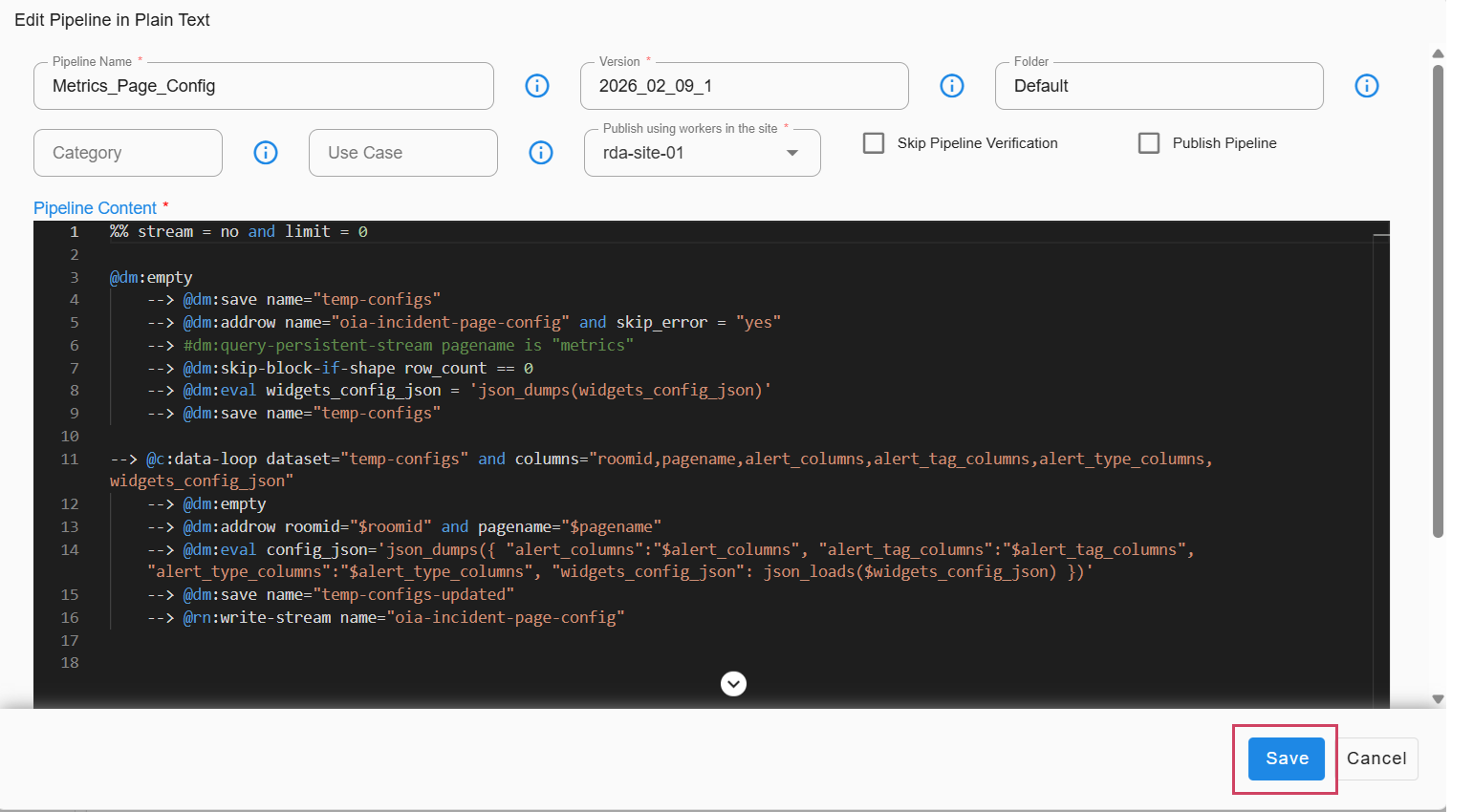
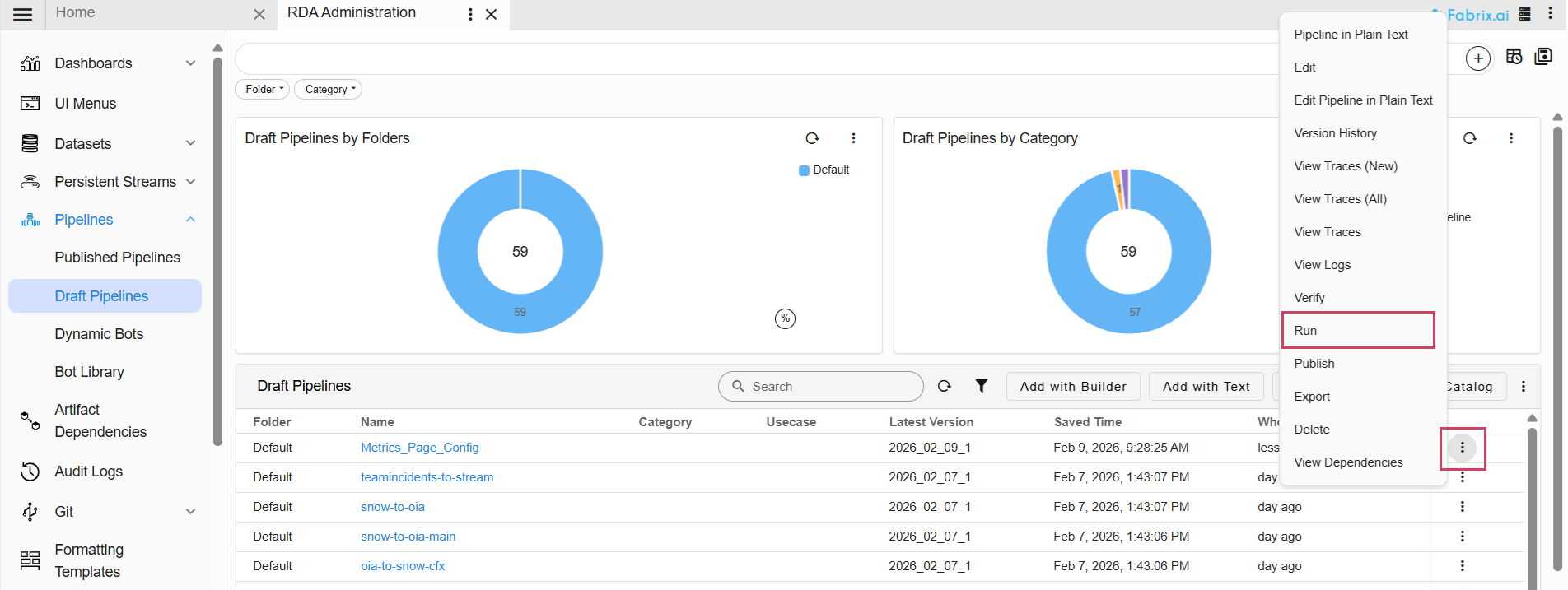
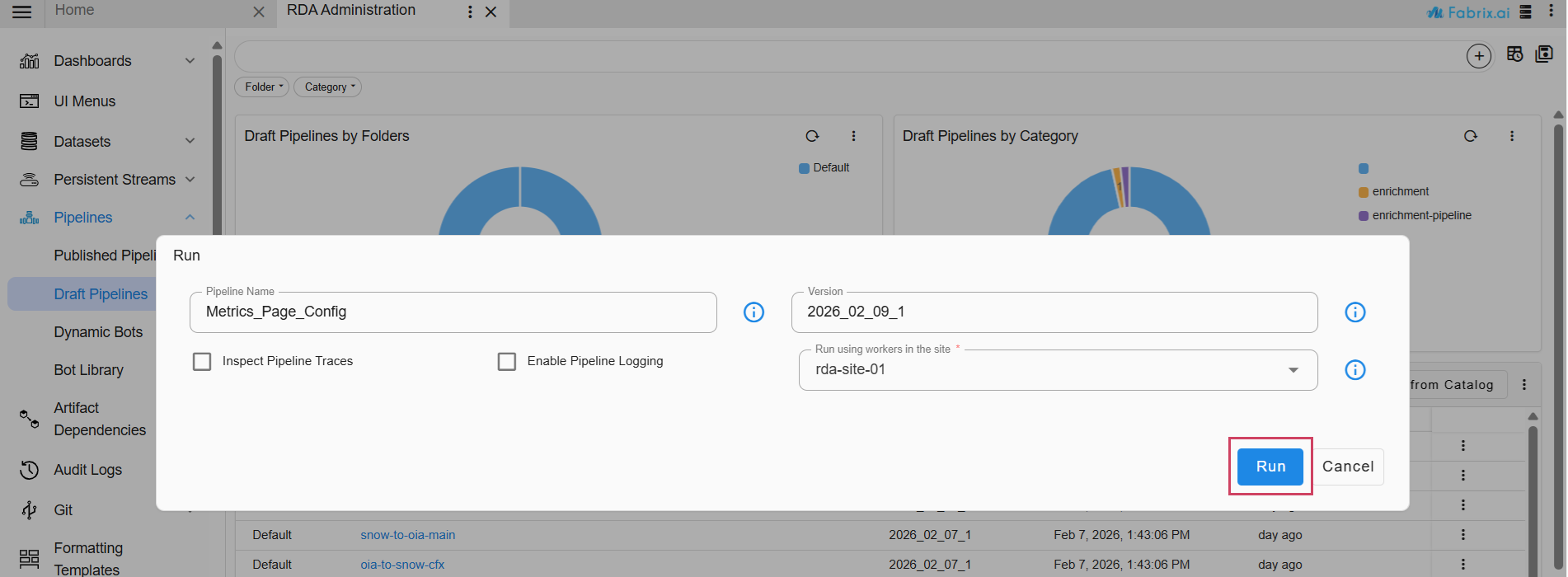
Step 2: If the topology configuration does not exist, manually add the incident topology page configurations. You can use the default configuration provided for new organizations as a starting point..
Navigate to Home → Configuration -> Apps Administration -> Select Respective Organization row level clik on Configure -> Incidents -> Incidents Page Configuration -> Add Config -> add a Page Name and the config details -> Save
{ "related_alerts": { "enabled": true, "related_nodes_max_distance": 2 }, "stack_name_col_incidents_stream": "attrs_stack_name", "node_id_col_incidents_stream": "attrs_node_id", "node_id_col_alerts_stream": "a_en_node_id", "stack_details": { "type": "use_context", "context_field_for_stack_name": "attrs_stack_name" } }
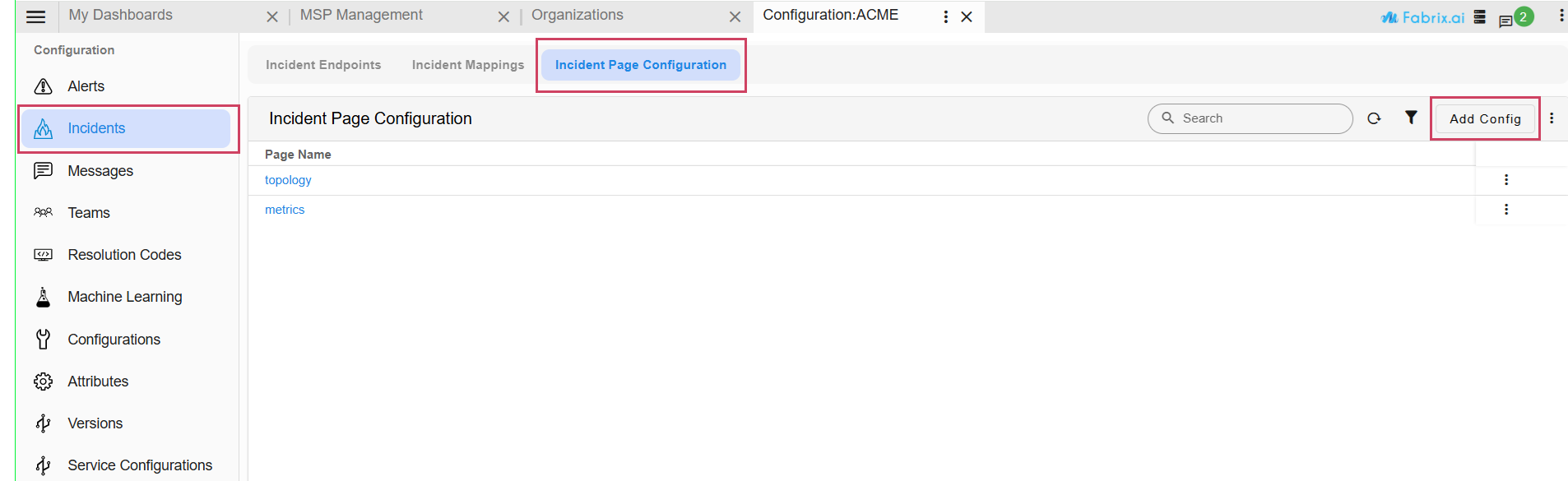
1.3.3 Steps to Enable Agentic AI
Note
This section is optional. Complete the following steps only if you intend to enable the Agentic AI feature.
- Please download the script below to take down one instance of the portal backend, as HA is not supported for this feature.
-
Open the deployment values file:
vi /opt/rdaf/deployment-scripts/values.yaml -
Locate the
rda_chat_helpersection and add the proxy environment variables. Replace credentials/hosts as needed.
rda_chat_helper:
  replicas: 2
  privileged: 'true'
  resources:
    requests:
      memory: 100Mi
    limits:
     memory: 4Gi

  env:
    RDA_ENABLE_TRACES: 'no'
    RDA_STUDIO_URL: ''
    RDA_JWT_SECRET_KEY: ''
    NUM_SERVER_PROCESSES: '4'
    SERVICE_REQUEST_DEBUG: 'yes'
    DISABLE_REMOTE_LOGGING_CONTROL: 'no'
    RDA_SELF_HEALTH_RESTART_AFTER_FAILURES: 3
    PORTAL_HOST: 192.168.133.38
    http_proxy: http://xxxxxxx\_user:[email protected]:3128
    https_proxy: http://xxxxxxx\_user:[email protected]:3128
    no_proxy:
localhost,127.0.0.1,192.168.133.38,192.168.133.39,192.168.133.40,192.168.133.41,192.168.133.42,192.168.133.43,192.168.133.44,192.168.133.45,192.168.133.46,192.168.133.47,192.168.133.48,192.168.133.49,*.rhel.pool.ntp.org,*.us.pool.ntp.org
    HTTP_PROXY: http://xxxxxxx\_user:[email protected]:3128
    HTTPS_PROXY: http://xxxxxxx\_user:[email protected]:3128
    NO_PROXY:
localhost,127.0.0.1,192.168.133.38,192.168.133.39,192.168.133.40,192.168.133.41,192.168.133.42,192.168.133.43,192.168.133.44,192.168.133.45,192.168.133.46,192.168.133.47,192.168.133.48,192.168.133.49,*.rhel.pool.ntp.org,*.us.pool.ntp.org
  deployment: true
  capabilities:
    add:
    - SYS_PTRACE
- To apply the proxy settings, run the following command.
- Please download the below python script(post_upgrade.py)
- Run the downloaded
post_upgrade.pyscript on the target host to adjust HAProxy configurations and restart its services.
Note
After HAProxy has been successfully updated and restarted, you must manually restart the following services to ensure the Agentic AI feature's configuration takes full effect.
1) API Server
2) Chat Helper
-
Open the deployment values file:
vi /opt/rdaf/deployment-scripts/values.yaml -
Locate the
rda_chat_helpersection and add the proxy environment variables. Replace credentials/hosts as needed.
rda_chat_helper:
  mem_limit: 4G
  memswap_limit: 4G
  privileged: true
  cap_add:
  - SYS_PTRACE
  environment:
    RDA_ENABLE_TRACES: 'no'
    DISABLE_REMOTE_LOGGING_CONTROL: 'no'
    RDA_SELF_HEALTH_RESTART_AFTER_FAILURES: 3
    http_proxy: http://xxxxxxx_user:[email protected]:3128
    https_proxy: http://xxxxxxx_user:[email protected]:3128
    no_proxy:
localhost,127.0.0.1,192.168.133.60,192.168.133.61,192.168.133.62,192.168.133.63,192.168.133.64,192.168.133.65,192.168.133.66,192.168.133.67,*.rhel.pool.ntp.org,*.us.pool.ntp.org
    HTTP_PROXY: http://xxxxxxx_user:[email protected]:3128
    HTTPS_PROXY: http://xxxxxxx_user:[email protected]:3128
    NO_PROXY:
localhost,127.0.0.1,192.168.133.60,192.168.133.61,192.168.133.62,192.168.133.63,192.168.133.64,192.168.133.65,192.168.133.66,192.168.133.67,*.rhel.pool.ntp.org,*.us.pool.ntp.org
    deployment: true
    hosts:
    - 192.168.133.63
    - 192.168.133.64
- To apply the proxy settings, run the following command.
- Please download the below python script(post_upgrade.py)
- Run the downloaded
post_upgrade.pyscript on the target host to adjust HAProxy configurations and restart its services.
Creating backup of existing haproxy.cfg on host 192.168.108.122
Restarting HAProxy on host: 192.168.108.122
 Container infra-haproxy-1  Restarting
 Container infra-haproxy-1  Started

HAProxy restarted successfully on 192.168.108.122
Creating backup of existing haproxy.cfg on host 192.168.108.123
Restarting HAProxy on host: 192.168.108.123
[+] Restarting 1/1
 ✔ Container infra-haproxy-1  Started                                     10.6s

HAProxy restarted successfully on 192.168.108.123
- After executing the script, confirm that the rda-portal service is running on only one instance.
Note
After HAProxy has been successfully updated and restarted, you must manually restart the following services to ensure the Agentic AI feature's configuration takes full effect.
1) API Server
2) Chat Helper