ML DB Migration Guide (MySQL to p-streams)
1. Mandatory Schedule Disable
Ensure all enabled schedules for ML experiments, particularly Clustering and Regression, are disabled. Verify that no scheduled jobs are currently running or queued.
Navigation Path: Go to Home → Navigate to the User Dashboards → Machine Learning Page
- If the Machine Learning Page is assigned to Top Menu, navigate directly into it
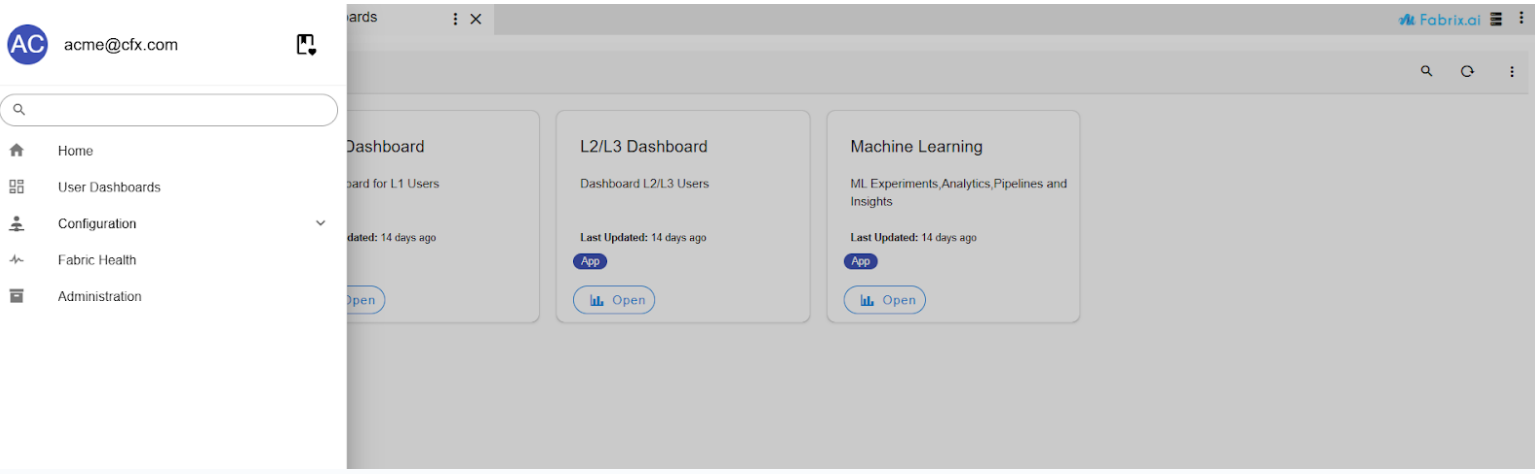
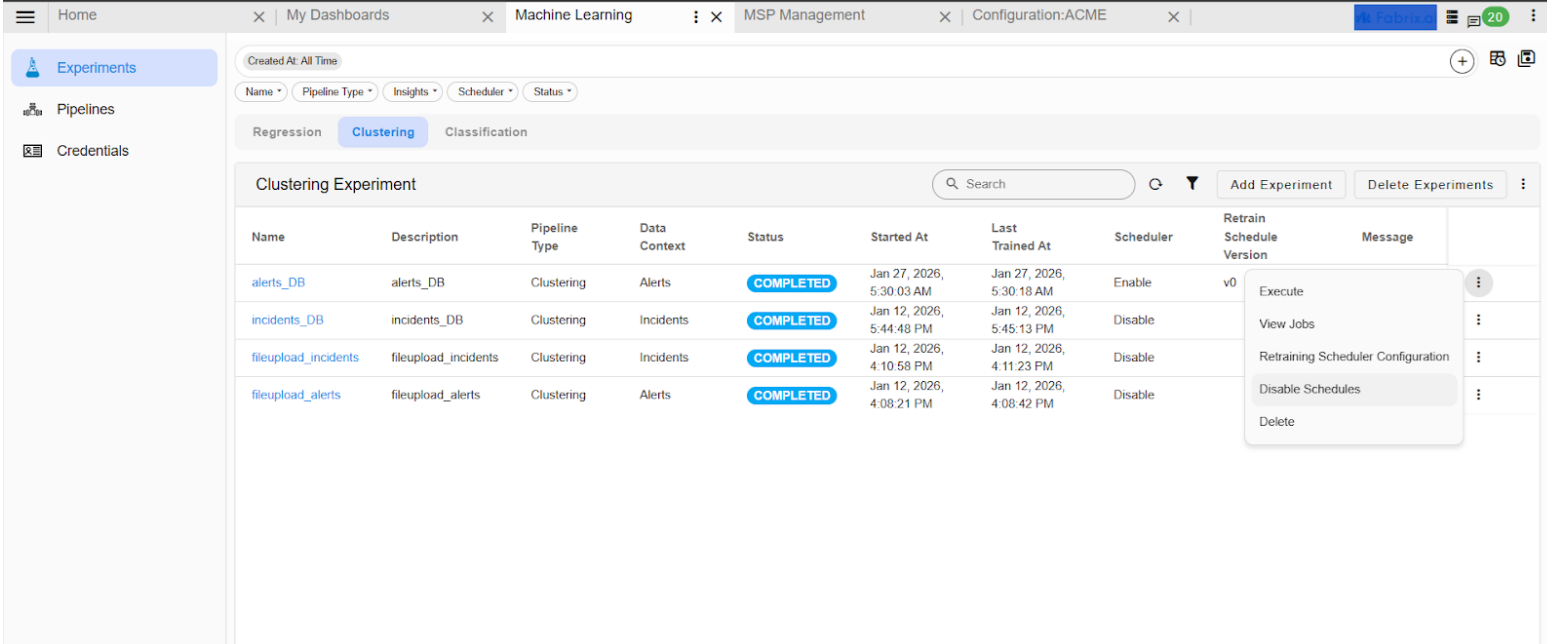
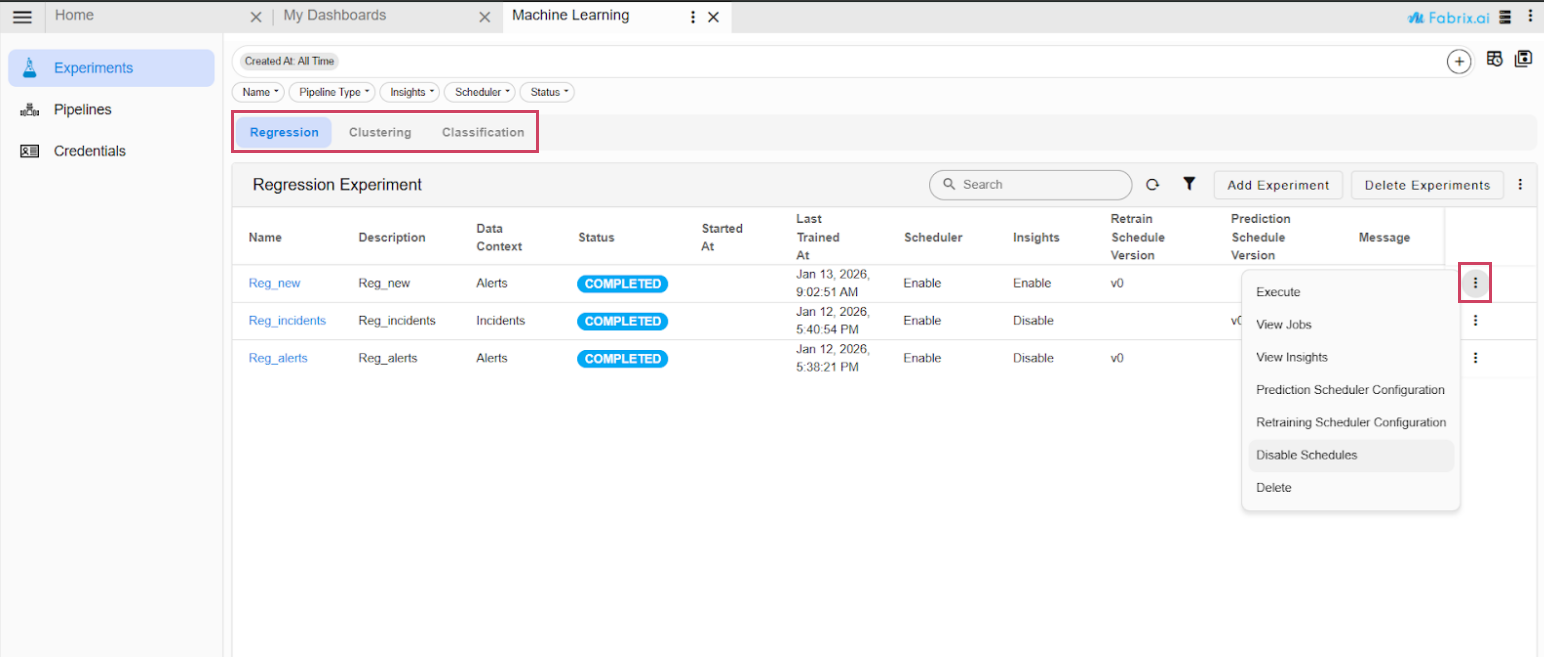
- Go to Home → Navigate to the User Dashboards → Machine Learning Page in the Experiments section, Navigate to the Regression and Clustering tabs, and disable the re-training or prediction schedules for both.
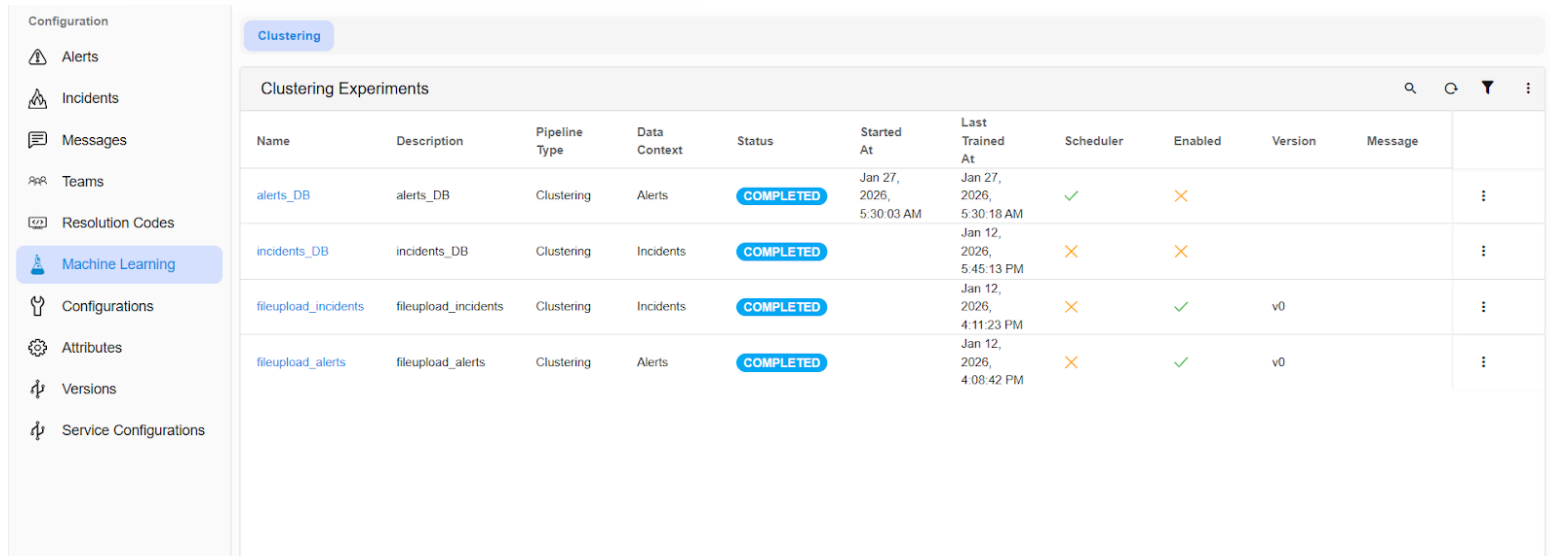
- To confirm the clustering schedules, Go to Homepage → navigate to Administration (from the top menu) → Organizations → click on the “Configure” action. Then, go to the Machine Learning page within the app to ensure that the clustering experiments are disabled.
2. Execution of Backup Pipeline
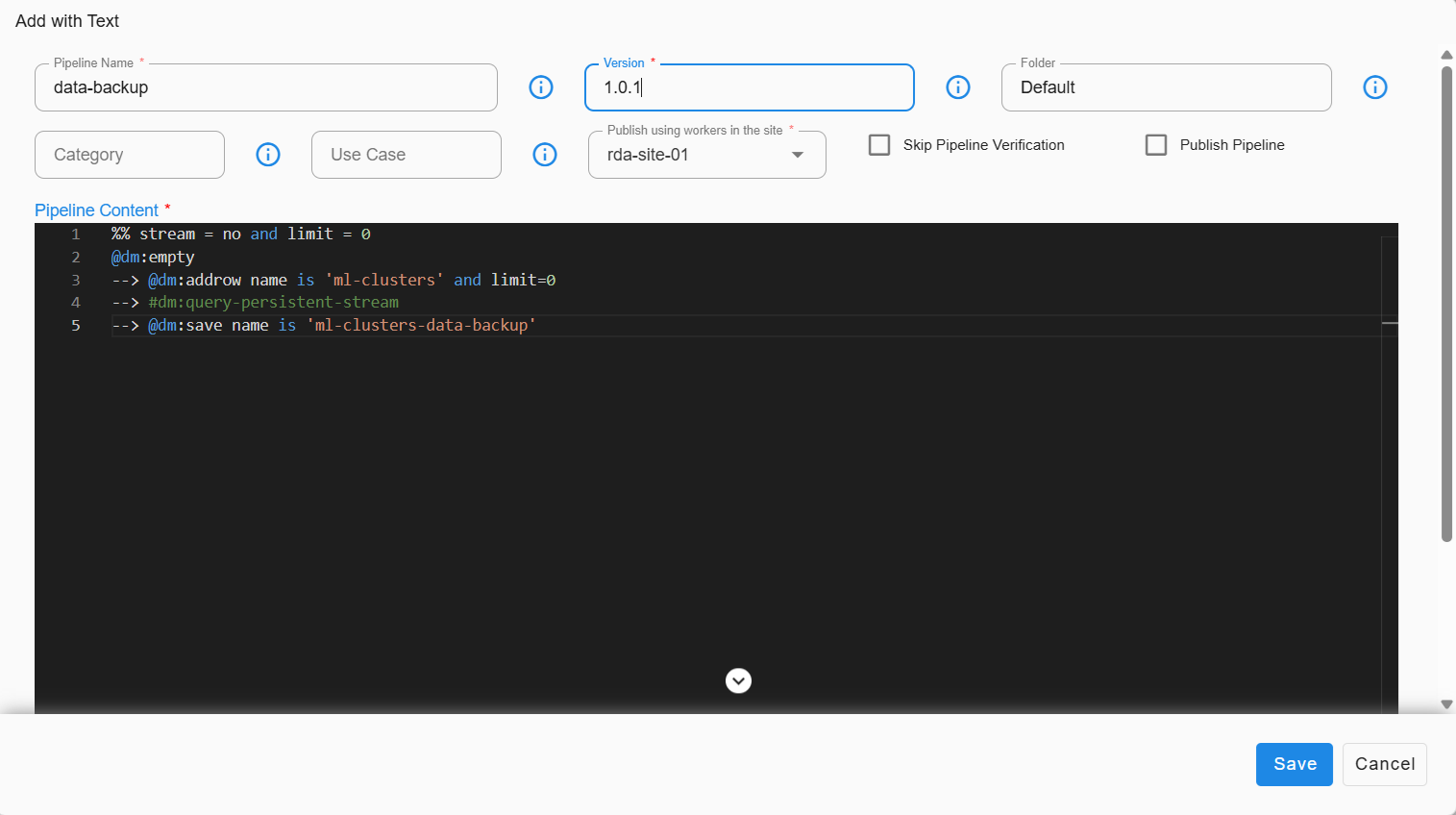
Execute the following pipeline. This process will back up the data from existing streams into a dataset.
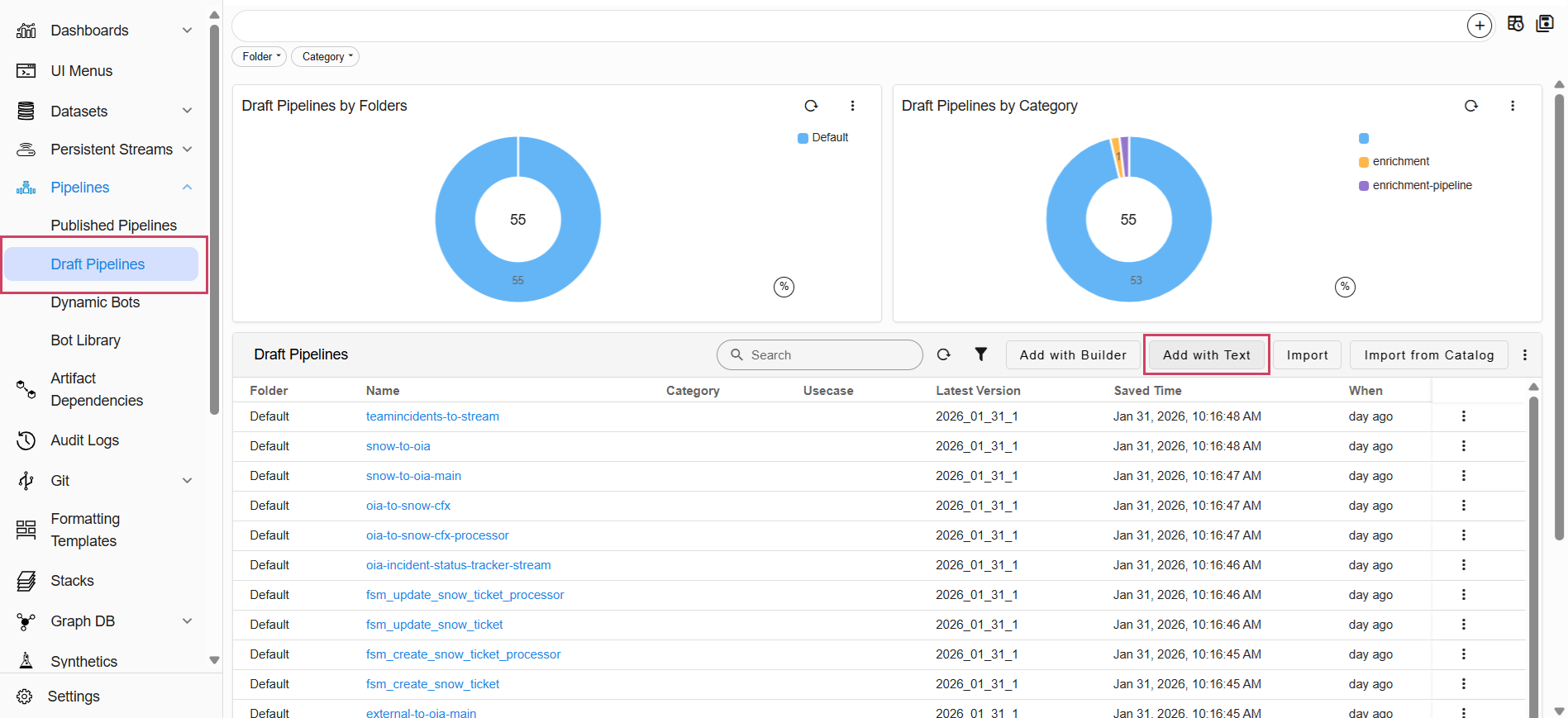
- Go to Home → Navigate to the Configuration -> RDA Administration -> Pipelines -> Draft Pipelines -> Add with Text
%% stream = no and limit = 0
@dm:empty
--> @dm:addrow name is 'ml-clusters' and limit=0
--> #dm:query-persistent-stream
--> @dm:save name is 'ml-clusters-data-backup'
Note
Ensure that the above pipeline completes successfully before moving on to the next step.
3. Retrieval of Database Name
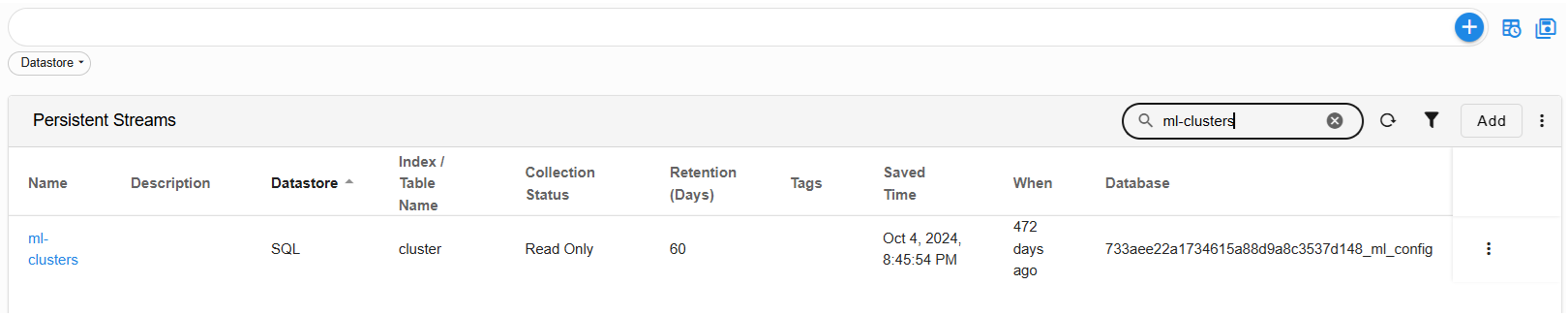
- Go to Home → Navigate to the Configuration -> RDA Administration -> Persistent Streams -> Persistent Streams
Copy/Record the database name associated with the ml-clusters stream.
Important
Need this database name to migrate the data from DB to streams.
4. Deletion of Existing p-stream
Go to Home -> Configuration -> RDA Administration -> Persistent Streams -> Search for the ml-clusters -> in the Row Level click on Delete
Delete the following p-stream.
5. Creation of Streams with Definitions
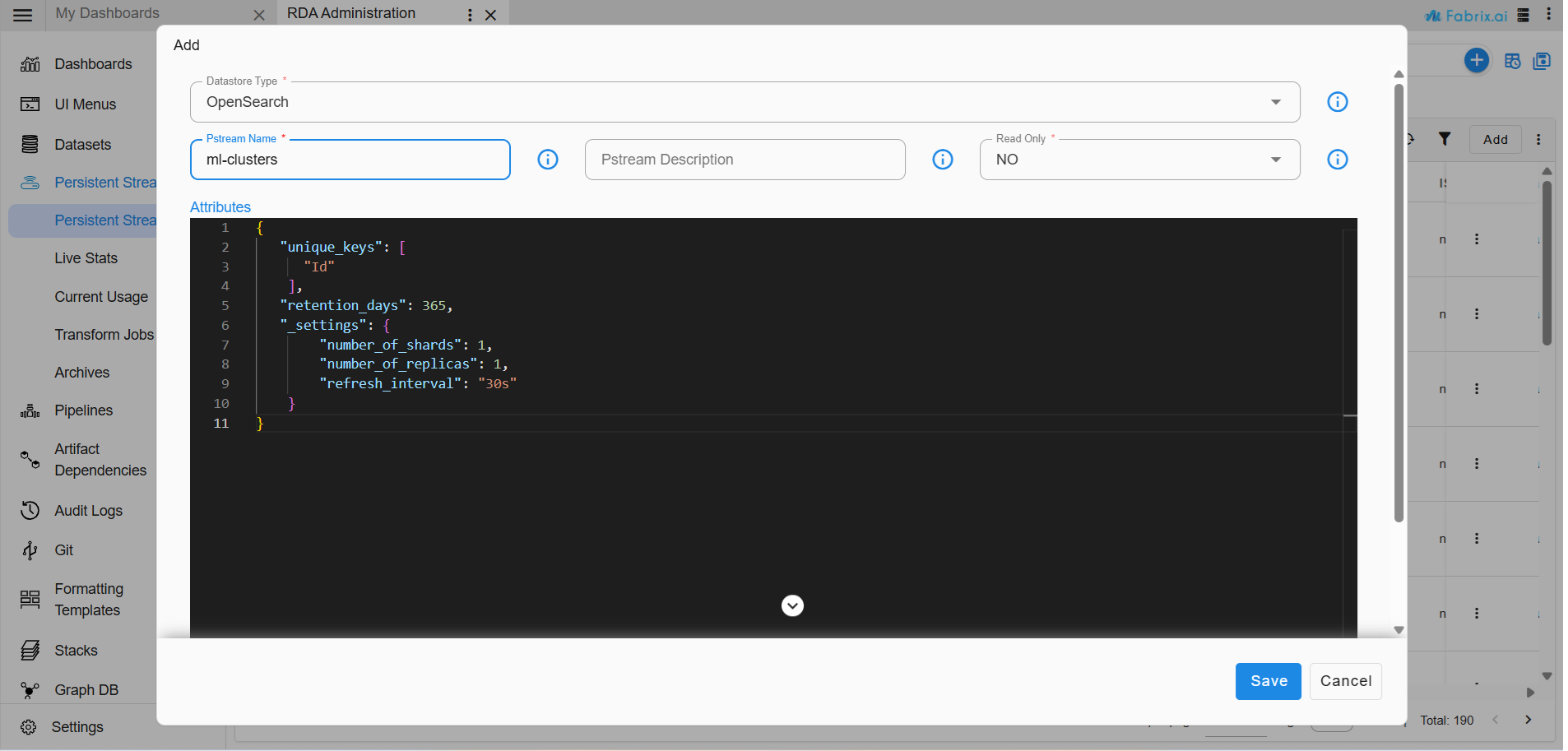
Go to Home -> Configuration -> RDA Administration -> Persistent Streams -> Click ADD
Create the following streams with the specified unique key definitions.
{
   "unique_keys": [
      "Id"
    ],
   "retention_days": 365,
   "_settings": {
        "number_of_shards": 1,
        "number_of_replicas": 1,
        "refresh_interval": "30s"
    }
}
{
   "unique_keys": [
      "versionId"
    ],
   "retention_days": 365,
   "_settings": {
        "number_of_shards": 1,
        "number_of_replicas": 1,
        "refresh_interval": "30s"
    }
}
{
   "unique_keys": [
      "Id",
      "versionId"
    ],
   "retention_days": 365,
   "_settings": {
        "number_of_shards": 1,
        "number_of_replicas": 1,
        "refresh_interval": "30s"
    }
}
{
   "unique_keys": [
      "versionId"
    ],
   "retention_days": 365,
   "_settings": {
        "number_of_shards": 1,
        "number_of_replicas": 1,
        "refresh_interval": "30s"
    }
}
6. Execution of Migration Pipeline
Important
The following steps should be carried out after upgrading all services (Platform & OIA) with 8.2 tags.
6.1 Pre-requisites
-
Ensure mysql credentials added.
-
To Confirm, Navigate to Home -> Configuration -> RDA Integrations from the top menu.
-
If credentials are not added, add them before proceeding to create the following pipeline.
6.2 Create a New Draft Pipeline
1. Navigate to RDA Administration from the top menu, then go to the Pipeline.
2. Click on Draft Pipeline.
3. Select Add with Text action from the tabular chart.
4. Enter the pipeline name as ‘ml-db-migration’, version as ‘1’, and then copy the pipeline content below into the code editor.
5. Replace the database_name parameter in the pipeline with the actual database name that you copied earlier Retrieval of Database Name.
6. Save the pipeline.
7. Verify the pipeline and then run it.
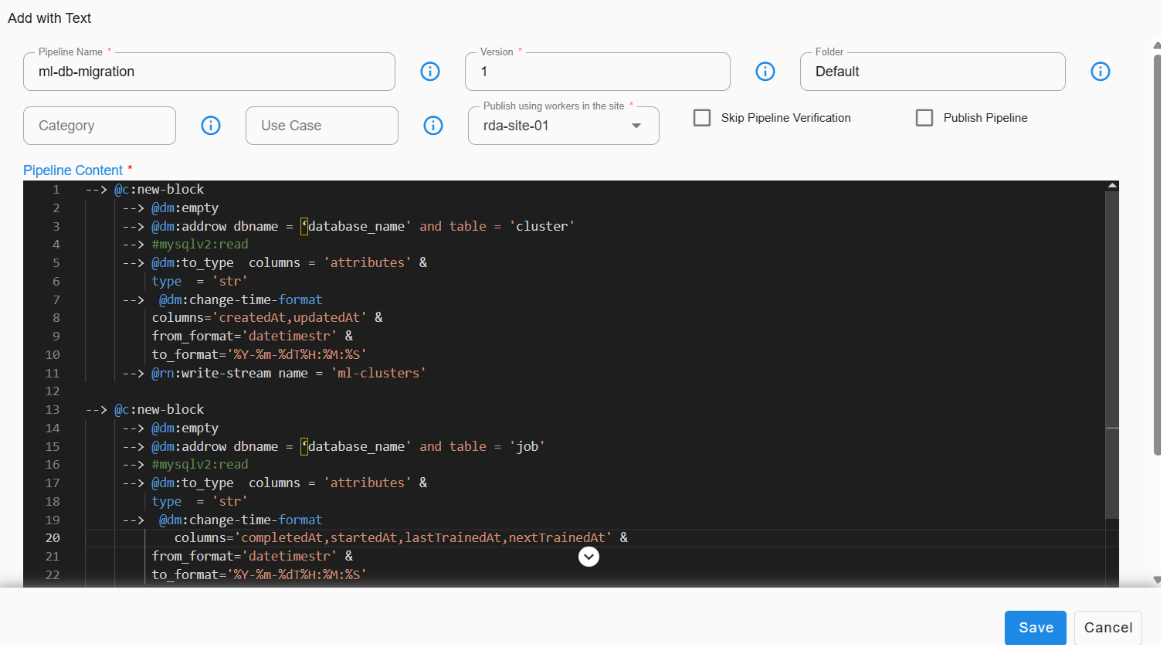
Important
Before executing, please verify and update the database name in the pipeline definition.
Execute the migration pipeline ml-db-data-migration to transfer all relevant ML data from MySQL to p-streams.
@c:new-block
    --> @dm:empty
    --> @dm:addrow dbname = 'database_name' and table = 'cluster'
    --> #mysqlv2:read
    --> @dm:to_type  columns = 'attributes' & type = 'str'
    --> @dm:change-time-format columns='createdAt,updatedAt' & from_format='datetimestr' & to_format='%Y-%m-%dT%H:%M:%S'
    --> @rn:write-stream name = 'ml-clusters'

--> @c:new-block
    --> @dm:empty
    --> @dm:addrow dbname = 'database_name' and table = 'job'
    --> #mysqlv2:read
    --> @dm:to_type  columns = 'attributes' & type  = 'str'
    --> @dm:change-time-format columns='completedAt,startedAt,lastTrainedAt,nextTrainedAt' & from_format='datetimestr' &             to_format='%Y-%m-%dT%H:%M:%S'
    --> @rn:write-stream name = 'ml-jobs'

--> @c:new-block
    --> @dm:empty
    --> @dm:addrow dbname = 'database_name' and table = 'versions'
    --> #mysqlv2:read
    --> @dm:to_type  columns = 'pipeline' & type = 'str'
    --> @rn:write-stream name = 'ml-versions'

--> @c:new-block
    --> @dm:empty
    --> @dm:addrow dbname = 'database_name' and table = 'modelmeta'
    --> #mysqlv2:read
    --> @rn:write-stream name = 'ml-model-meta'